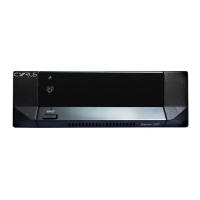
User Instructions Cyrus Mono X
3
GB
GB
OPERATION
Key to the front panel drawing (Fig.2)
12. Standby Switch
13. Standby Light
14. Mute Light
Switching On
When power is applied, the STANDBY key 1@ may be used for power control.
The Standby light
1# shows red when the Mono X is in Standby and green
when operational.
Remote power control can also be enabled by connecting the MC-Bus sockets
h of the Mono X to a Cyrus system which includes a Preamplifier, Integrated
amplifier or Surround decoder. A number of Mono Xs may be connected in
this way to provide remote standby control of all the system power amplifiers.
Mute Indicator
The MUTE Indicator 1$ will glow red if the protector of the Mono X switches in.
This occurs for a few seconds following Standby operation or if a temporary
overload condition arises. If the MUTE Indicator glows continually, refer to the
Troubleshooting Guide.
Cooling
Due to the substantial power of the Mono X, air-cooling is provided via a fan
c. The fan in the Mono X features an Intelligent Power Controller. When the
unit is idling the fan turns off. As the amplifier warms up the fan progressively
speeds up, reaching maximum speed at maximum temperature. In this way
the fan speed is always related to the power output of the unit and fan noise is
barely discernible even at low volume levels. In quiet passages and between
tracks on a CD, the fan will slow down so as not to encroach on the listening
experience.
TROUBLESHOOTING GUIDE
If your Mono X is not operating properly, disconnect the power and check all
connections using the notes in this handbook. If problems persist, the
checklist below may be helpful.
If you are in doubt, consult your dealer.
No sound from both speakers
Check that the pre-amplifier and the power
amplifiers are on.
Check that the pre-amplifier and the power
amplifiers are not muted.
Check that the pre-amplifier responds to
front panel commands.
Check that the relevant program source is
selected.
Check that the correct amplifier input is
selected.
The standby lights should be
green.
The red Mute lights should not
be lit.
Tape Monitor should not be
selected.
The source device must be
operating normally.
The RCA/BAL switch must be
switched to the appropriate
input.
Check that the loudspeakers are
connected.
The connection at the
terminals of the loudspeakers
and the Mono X should be
checked.
No sound from one speaker
There may be a short circuit in the
speaker connections.
The protection circuit will
operate and the red Mute light
will stay lit.
Specifications
Power Supply
Voltage:....................................................................As plate on rear of unit
Power Consumption
Standby............................................................................................. (6.4W)
ON (No Signal)................................................................................... (23W)
ON (150W)....................................................................................... (255W)
EMC & Safety Compliance (230V) .................................................................CE
EMC & Safety Compliance (115V) ............................................... FCC, cCSAus
Enclosure
Dimensions (WxHxD)..................................................... 215 x 75 x 365mm
Weight.................................................................................................5.5Kg
Material ..............................................................................Die cast chassis
Audio Performance
Input Sensitivity (50W 8Ω) RCA.......................................................381mV
Input Sensitivity (50W 8Ω) BAL........................................................775mV
Input Sensitivity (150W 8Ω) RCA....................................................660mV
Input Sensitivity (150W 8Ω) BAL ......................................................1.3V
Input Impedance (RCA) ......................................................................19kΩ
Input Impedance (BAL) .......................................................................20kΩ
Output Power (Continuous) 8Ω ..................................................150Wrms
Output Power (Continuous) 4Ω ..................................................240Wrms
THD+N @2/3 full power.............................. (20Hz - 20kHz 8Ω).....<0.05%
(1kHz 8Ω).................<0.004%
Slew Rate (input filter bypassed) ................................................... 700v/µS
Frequency Response (-3dB)................................................. 0.5Hz-130kHz
S/N Ratio (Ref. 150W / 8Ω)............................................................ 114dBA
Chain Output (buffered) .................................................(unity gain) 660mV
(ref. 660mV RCA input, 1.3V Balanced input.)
Cyrus reserves the right to change all specifications without notice. E & OE
WARRANTY
The warranty card enclosed should be completed by the Dealer and the
purchaser and returned to CYRUS or its Distributor within 8 days of purchase.
No Dealer or Distributor may vary the terms of this warranty which is personal
to the original Purchaser and is not transferable.
Please retain the sales receipt as proof of purchase.
Warranty claims must wherever possible be made through the Dealer from
whom the equipment was purchased.
This warranty excludes:
• Damage caused through neglect, accident, misuse, wear and tear, or
through incorrect installation, adjustment or repair by unauthorised
personnel. Any unauthorised servicing will result in loss of guarantee.
• Liability for damage or loss occurring in transit to or from the purchaser.
• Consequential damage, loss or injury, arising from or in conjunction with
this equipment.
Equipment for attention under warranty should be consigned return carriage
paid. If returned equipment is found to comply with the published specification,
CYRUS reserves the right to raise a charge.
The above conditions do not affect your statutory rights as a consumer.



 To Previous Page
 Loading...