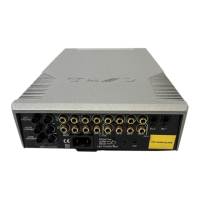
Cyrus ONE
Cast User Instrucons
Important! Read before operang this equipment! ...................1
Power supply ....................................................................... 2
Power consumpon in Standby ........................................... 2
Operang environment ....................................................... 2
Servicing .............................................................................. 2
Product service centres................................................... 2
Legal noces ........................................................................ 3
WEEE ................................................................................... 3
FCC NOTICE* ........................................................................ 4
Introducon ..............................................................................5
Welcome to the world of Cyrus! .......................................... 5
Preparaons for Installaon ................................................ 5
What does ONE Cast do? ..................................................... 5
Installaon ................................................................................6
Back panel features ............................................................. 6
Connecons ......................................................................... 7
Important – read before connecng anything ................ 7
What can I connect? ....................................................... 7
Connect a turntable ........................................................ 7
Connect digital audio ...................................................... 7
Connect HDMI (ARC) ....................................................... 7
Connect USB audio ......................................................... 7
Connect analogue line audio .......................................... 7
Connect speakers ............................................................ 7
Connect mains power ..................................................... 7
Controls and features ................................................................8
Front panel features ............................................................ 8
Front panel .......................................................................... 9
Standby ........................................................................... 9
Standby indicator ............................................................ 9
Auto standby ................................................................... 9
Selecng an input source ................................................ 9
Status indicator
......................................................... 9
Volume ............................................................................ 9
Listening through headphones ....................................... 9
Disconnecng headphones ............................................. 9
Remote control .................................................................. 10
Remote control features ............................................... 10
Fing/Replacing the remote control baeries ............10
Baery disposal ............................................................ 10
Standby ......................................................................... 11
Control lock ................................................................... 11
Volume .......................................................................... 12
Mute ............................................................................. 12
Balance ......................................................................... 12
Input select ................................................................... 12
Indicator brightness ...................................................... 12
Seng up Wi-Fi .......................................................................13
Choosing a Wi-Fi setup method......................................... 13
Opons ......................................................................... 13
What do I need? ........................................................... 13
Will the ONE Cast remember my Wi-Fi sengs? ..........13
Can I change the wireless sengs? .............................. 13
Broadband usage .......................................................... 13
Full wi- setup ................................................................... 14
Preparaon ................................................................... 14
Setup ............................................................................. 14
Compleng setup .......................................................... 14
Setup failure .................................................................. 14
AirPlay wi- setup .............................................................. 15
Preparaon ................................................................... 15
Factory reset before setup ............................................ 15
Setup ............................................................................. 15
Compleng setup .......................................................... 15
Setup failure .................................................................. 15
Seng up to use with Amazon Alexa ................................ 16
Inial Wi-Fi setup .......................................................... 16
Nuvola skill and UNDOK app ......................................... 16
Installing the Alexa app ................................................. 16
Register the Nuvola skill in the Alexa app ..................... 16
Installing the UNDOK app ............................................. 16
Contents



 To Next Page