Cyrus ONE
Cast User Instrucons
Page 24Click here to return to the contents page 2
Seng AV Direct mode
This seng can only be changed within 20 seconds of
switching on the ONE Cast from Standby.
• Switch on the ONE Cast.
• Within 20 seconds, set ONE Cast to AV input and press
AV DIR on the remote control.
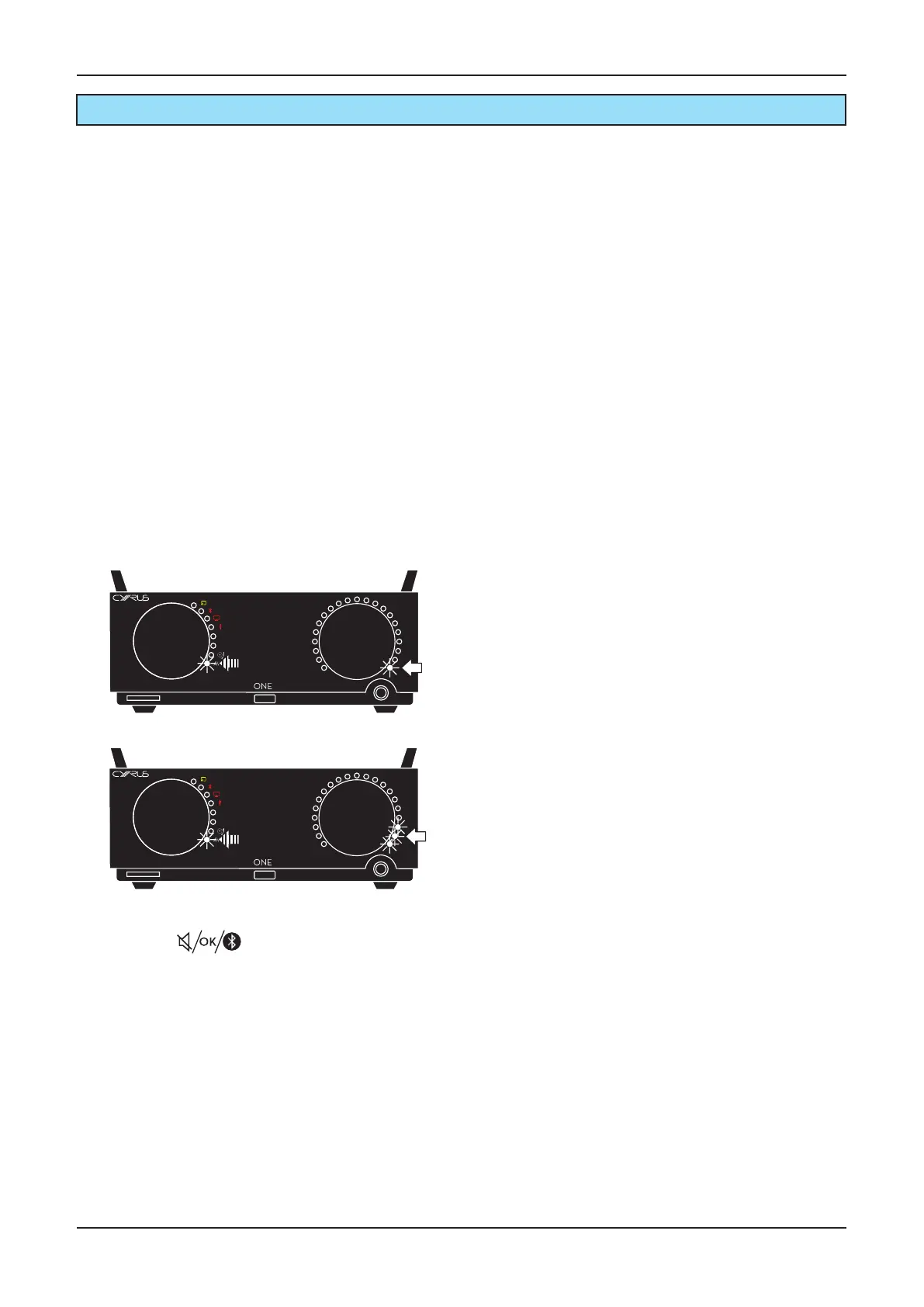
The AV source indicator will ash and the volume display will
indicate the current AV mode as shown below.
Advanced operaon
AV Direct mode
When AV Direct mode is set, the Cyrus ONE Cast switches to
work as a power amp when the AV source is selected. This
means you can use Cyrus ONE Cast as a high quality front
channel drive for a Home Cinema system.
Connecng to a Home Cinema decoder
• Connect the front le and right pre-out channels of the
Home Cinema receiver to the AV sockets on the Cyrus
ONE Cast.
• Connect the front le and right speakers to the speaker
terminals of the ONE Cast.
• Connect all other speaker channels directly to the Home
Cinema receiver.
In Use
• Select AV at the ONE Cast when playing a movie and a
xed volume seng will be applied.
The front channel sound from the Home Cinema receiver
will play through the Cyrus ONE Cast.
Volume operaon will return to normal when another input
is selected.
Operaon
!
• Press the buon repeatedly to switch
between normal and AV Direct mode.
• When the display shows the mode you want, press AV
DIR again to store the seng and exit.
Cast
5
6
Cast
5
6
AV Normal mode
AV Direct mode
CAUTION: Seng AV Direct mode will x the volume
control at a high level whenever the AV source is
selected. Use this seng only when the AV input
is connected to the front channels of an AV Home
Cinema decoder, or with other sources that include a
volume control.


 To Next Page