Source
Setup
Network
Aux
Radio
Choose UPnP server
Navigate to music
Input 1
Input 2
Input 3
Input 4
Input 5
USB
Navigate to a station
Network Settings
Input Names
DHCP Settings
Status
DHCP
On
Off
Select an Input Select a Name from the Library
Enter Manual IP
Main
Menu
Display network status
Balance
Set the Balance
Factory Reset
No
Yes
Settings clear when next set to Standby
n-remote
Start Pairing
Unpair n-remotes All remotes are unpaired
Detects n-remotes searching for a pair
About
Display Software Version
Used as an amplifier
Used as a source
Used as a source
CD
Tuner
AV
Internet test Checks the Internet connection
AUX Display Mode
Set the display mode for AUX inputs
Language
Select a language for the Streamline menus
Stream X
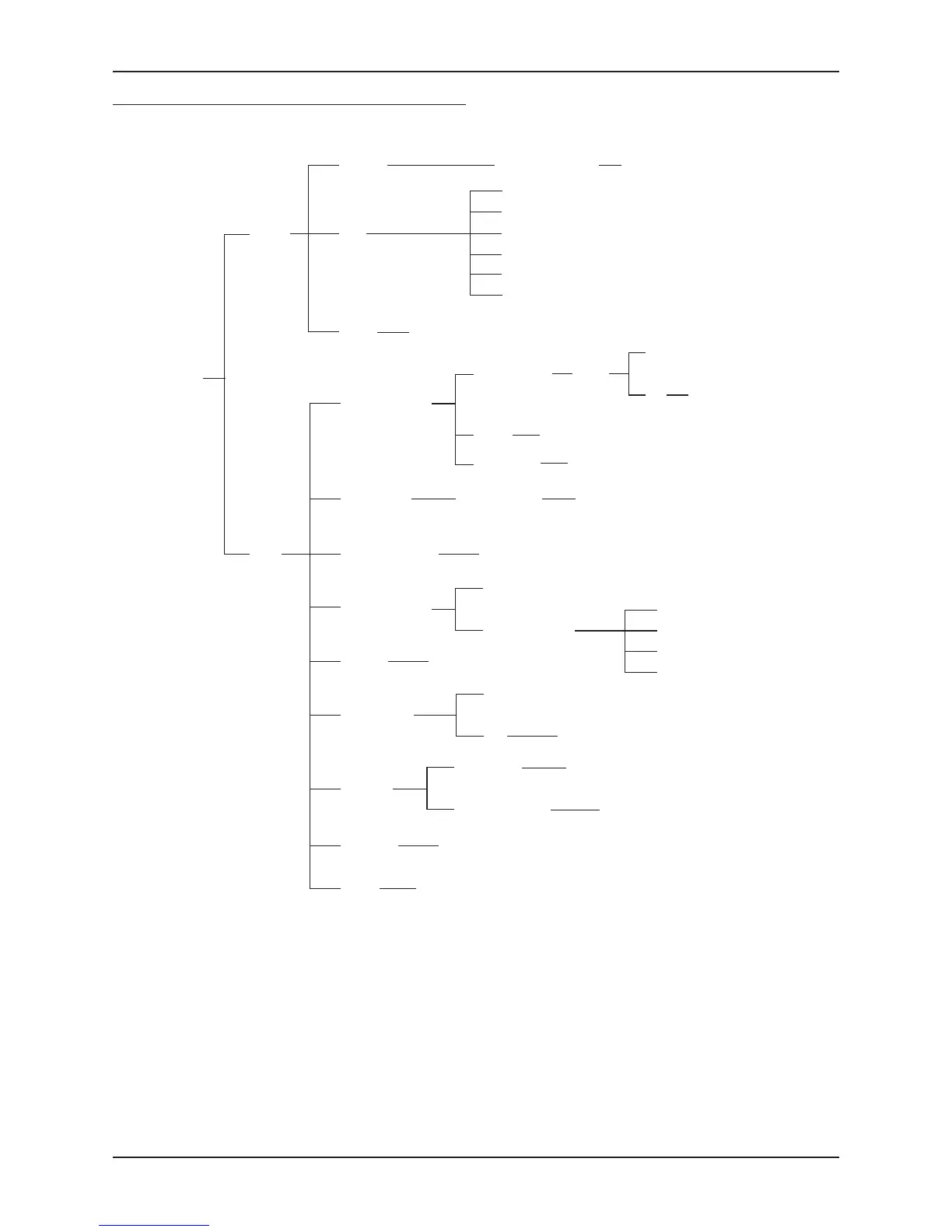
Menu Map
A full menu map for the Streamline
2
is shown below, including both
source selection and setup options.


 To Next Page