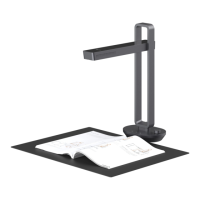
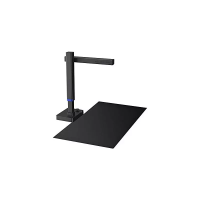
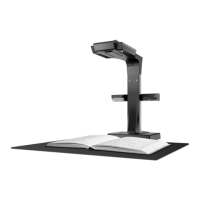
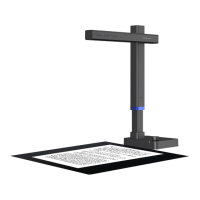
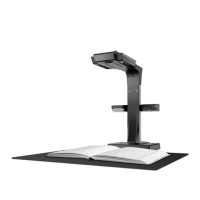
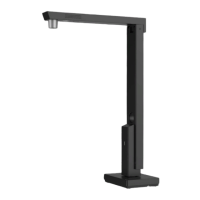
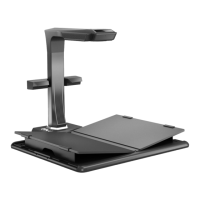
This document describes the Aura Mate Pro, a versatile device that combines the functions of a scanner, a table lamp, and a video call device, with additional features like a sitting posture reminder. It is designed for various users, including those in office, family, education, and training environments.
Function Description
The Aura Mate Pro is primarily a scanner equipped with high-performance ARM 4-core Cortex-A17 CPUs, high-definition sensors, uniform optics, and network connectivity. It offers high-definition scanning of various materials such as learning materials, books, test papers, archives, and receipts. Scanned images can be automatically corrected for position, cropped, and optimized with multiple color modes. These images can then be uploaded to the cloud for viewing, editing, or sharing via a dedicated mobile application (APP).
Beyond scanning, the device functions as a table lamp that is radiation-free, features low-frequency flashing, and provides uniform light. It offers four distinct table lamp modes: eye protection, computer, reading & writing, and natural light. The brightness of the lamp can be adjusted through six levels for each mode.
A significant feature is its video call capability, enabling real-time video chats. This is useful for office meetings, communication between parents and children, and interactions between teachers and students, facilitating timely remote problem-solving.
Additionally, the Aura Mate Pro includes a sitting posture reminder function. This feature helps users maintain proper sitting posture, aiming to prevent adverse effects on eyesight and neck health.
Important Technical Specifications
- Processor: ARM 4-core Cortex-A17
- Scanning Sensor: 16 megapixels
- Highest Scanning Resolution: 4608x3456
- Scanning Format: ≤ A3
- Scanning Speed: Approximately 1.0 second
- Video Format: MJPG
- Picture Format: JPG
- Export Format: PDF/WORD/EXCEL/Searchable PDF
- Camera for Scanning: 16 megapixels
- Camera for Video Call: 2 megapixels
- LCD Screen: 2.4 inches
- Table Lamp Brightness (Natural Light): 110-800 lx
- Table Lamp Brightness (Reading & Writing): 110-880 lx
- Table Lamp Brightness (Computer): 160-630 lx
- Table Lamp Brightness (Eye-protection): 115-850 lx
- Color Temperature (Natural Light): 4800K
- Color Temperature (Reading & Writing): 4000K
- Color Temperature (Computer): 3000K
- Color Temperature (Eye-protection): 3900K
- Connectivity: Network connection (Wi-Fi indicator), USB (Type A for foot pedal, Type B for computer), DC Port (9V === 1.5A)
- Sitting Posture Reminder Sensitivity: High, medium, low
- Product Dimensions: 180.96 mm (width) x 443.82 mm (height) x 372.84 mm (depth when extended), 341.70 mm (depth when folded).
- Soft Pad Dimensions: 530 × 415 × 1.8 mm
- Power Adapter Input: AC: 100-240V 50/60HZ 0.6A
- Power Adapter Output: DC: 9V === 1.5A
- Foot Pedal Cable Length: 2.0 m
- USB Cable Length: 1.5 m
Usage Features
- Connectivity: The device is primarily controlled via a dedicated "CZUR" APP, downloadable from the official website or by scanning a QR code. It connects to the network via Wi-Fi.
- Table Lamp Control: The table lamp can be turned on/off and its brightness adjusted using a physical knob on the device. Turning the knob clockwise increases brightness, while anti-clockwise decreases it. The APP also provides full control over the table lamp functions, including turning it on/off, adjusting brightness, and selecting color temperature modes. The brightness resets to a default level when switching modes.
- Scanning Operation: Scanning can be initiated either through the APP on a smartphone or client software on a computer. A foot pedal is provided for convenient hands-free scanning. For optimal scanning, a black soft pad must be properly aligned with the device base, ensuring the camera casing is at a 90-degree angle to the base and the preview area is fully covered. The device supports smart position correction and auto-cropping of scanned images.
- Video Call Initiation: Video calls can be initiated from the device by tapping the video call icon, which then calls the bound mobile phone. Alternatively, a call can be initiated from the phone via the APP, and the device will automatically answer after 5 seconds.
- Sitting Posture Reminder: This function is enabled or disabled via the APP. Users can record their standard sitting posture, and the APP allows adjustment of the voice reminder volume and sensitivity.
- LCD Screen: A 2.4-inch LCD screen displays preview images during scanning and shows video call status.
- Reset Button: A physical reset button is available to restart the device.
- Cooling Holes: Integrated cooling holes help manage device temperature.
- Microphone and Speaker: Built-in microphone and speaker facilitate video call communication.
Maintenance Features
- Firmware Upgrades: The device supports automatic firmware upgrades. In case of failure during this process, users are advised to contact customer service.
- Troubleshooting: The manual provides detailed troubleshooting steps for common issues, including device startup failures, network connectivity problems, video call malfunctions, scanning errors (e.g., distorted images, scanning not working), and software installation issues on computers.
- Software Compatibility: The CZUR software is compatible with XP, Win7, Win8, Win10, and Mac OS.
- Anti-virus and Firewall: Users are advised to disable anti-virus software and firewalls or add trust for the CZUR software during installation to prevent conflicts.
- USB Port Usage: If scanning issues arise when connected to a computer, users are advised to try different USB ports, as performance may vary.
- Environmental Conditions: The product is designed for use in environments where the surrounding temperature is less than 40°C.
- Warranty: The device comes with a one-year warranty covering the scanner itself, with exceptions for consumables, external view, damages from incorrect installation, use outside specified conditions (e.g., extreme temperatures or humidity), use of non-original components, natural disasters, accidents, human factors, inappropriate storage, unauthorized repairs, modifications, or abuse.
- Support: Technical support and information can be obtained by contacting local distributors or directly contacting CZUR TECH CO., LTD. via email or their website.

 Need help?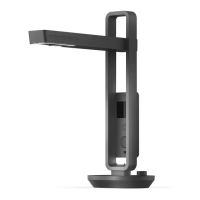

 To Next Page
 General