45
44
Using the Configuration Utility in Router Mode (continued)
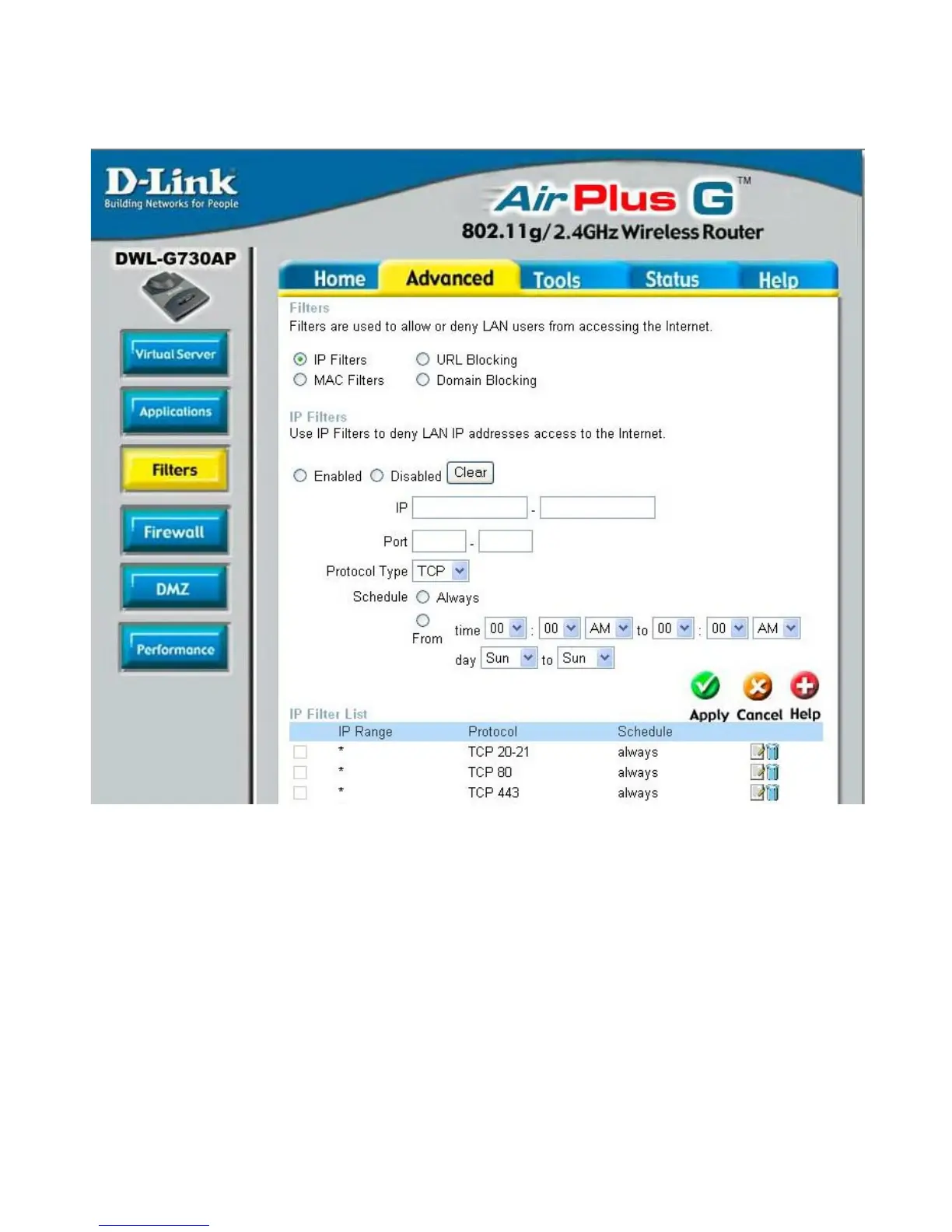
Advanced > Filters > IP Filters
Filters are used to deny or allow LAN (Local Area Network) computers from accessing
the Internet. The DWL-G730AP can be setup to deny internal computers by their IP or
MAC addresses. The DWL-G730AP can also block users from accessing restricted
web sites.
This is the schedule of time when the IP Filter will be enabled.
Schedule:
Select the protocol type
Protocol Type:
Use IP Filters to deny LAN IP addresses from accessing the
Internet. You can deny specific port numbers or all ports for
the specific IP address.
IP Filters:
The single port or port range that will be denied access to the
Internet.
Port:
The IP address of the LAN computer that will be denied
access to the Internet.
IP:




 To Next Page