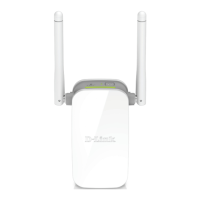
DAP-1325 Install Guide 7
Congure the DAP-1325
Using a Web Browser
Wi-Fi Name(SSID):
dlink-2c19
Wi-Fi Password:
gccnu80856
Web browser link:
http://dlinkap2c19.local.
Open the wireless utility on your wireless device or computer. Select the Wi-Fi
Network name (from the Wi-Fi Conguration Card) and enter the password. You
may also connect the DAP-1325 to your router or computer using an Ethernet
cable.
2
You may log into the web-based conguration utility on the DAP-1325 to perform the
following tasks:
• Upgrade rmware
• Change wireless and network settings
• Change the login password
1
Plug the DAP-1325 in an available outlet near your router. You may move it to a
more suitable location after conguration.
Open a web browser (e.g. Internet Explorer, Firefox, Safari, Chrome) and enter
http://dlinkap.local./. You may also enter the IP address of the DAP-1325.
3


 To Next Page
 Loading...