15D-Link DAP-1525 User Manual
Section 3 - Configuration
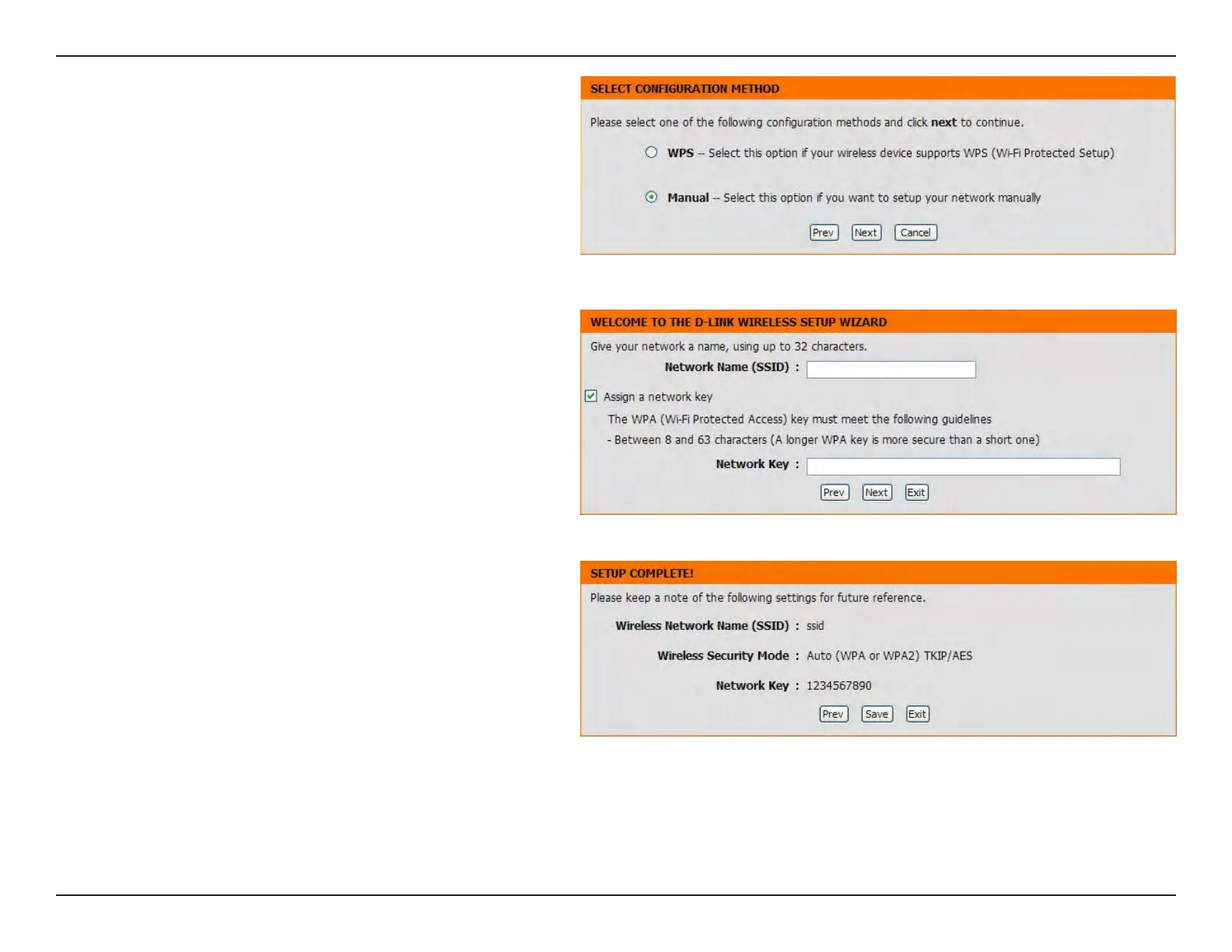
Select Manual as the conguration method to set
up your network manually.
Click Next to continue
Enter a network name (SSID). Tick the Assign a
network key check box to manually enter a WPA key
between 8 and 63 characters. Deselect the Assign
a network key check box to automatically assign a
network key.
Click Next to continue.
This window displays the settings.
Click the Save button to save the settings.



 To Next Page