40D-Link DAP-1525 User Manual
Section 3 - Configuration
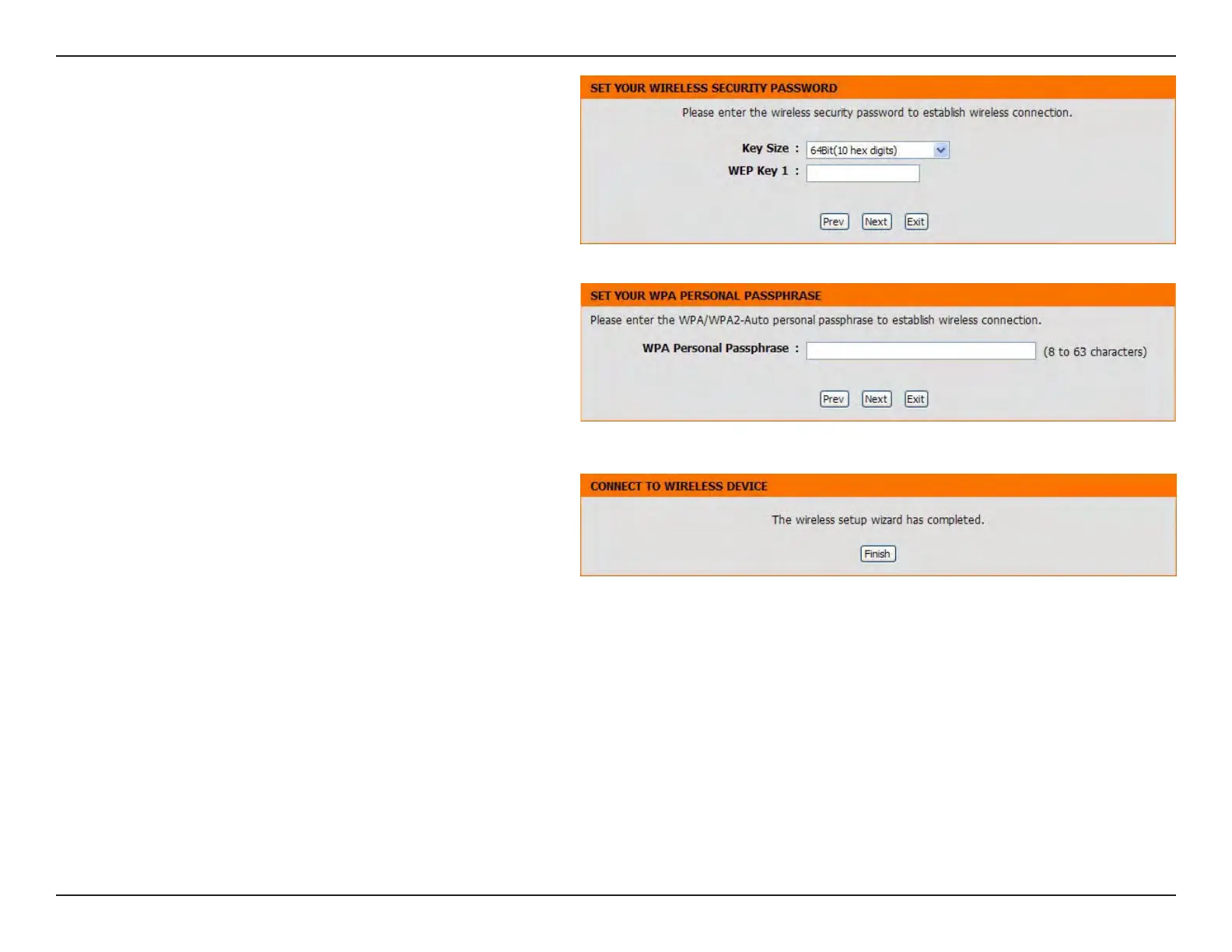
If you choose WEP, enter the wireless security
password and click Next to complete the Setup
Wizard.
If you choose WPA or WPA2, enter the WPA/WPA2
Personal Passphrase and click Next to complete
the Setup Wizard.
The following screen opens to indicate that you have
successfully saved your new settings.



 To Next Page