DAP-2690 Install Guide 7
Method 2
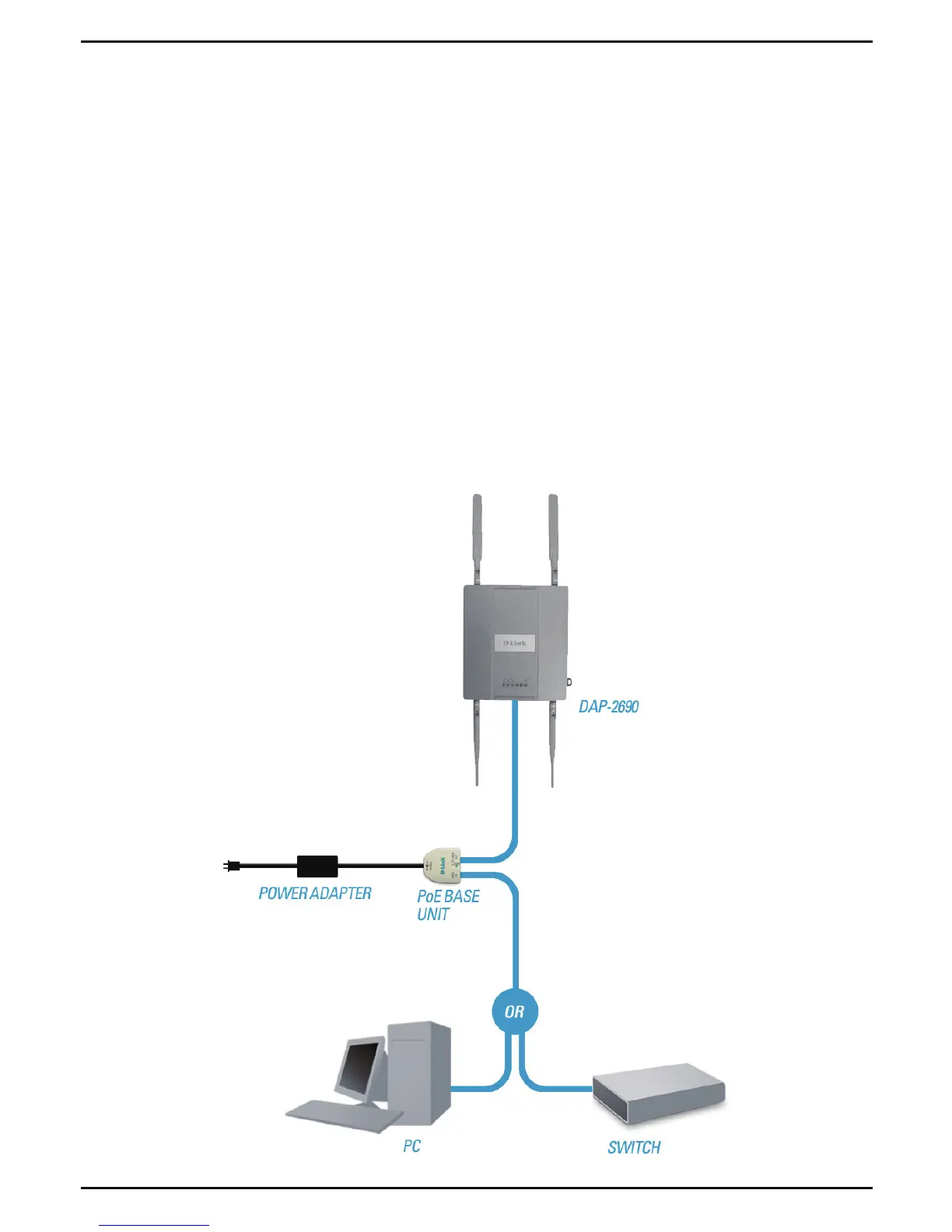
1. Connect one end of an Ethernet cable into the Data In port on the PoE
base unit and the other end into one port on your switch, router, or
computer.
2. Connect one end of an Ethernet cable into the P+Data Out port on
the PoE base unit and the other end into the LAN (PoE) port on the
DAP-2690 access point.
3. Use the supplied power adapter. Connect the power adapter to the
Power In receptor on the PoE adapter.
4. Connect the power cable to the power adapter and then connect the
other end into a power outlet.














 To Next Page