20D-Link DCS-2210/2230 User Manual
Conguration
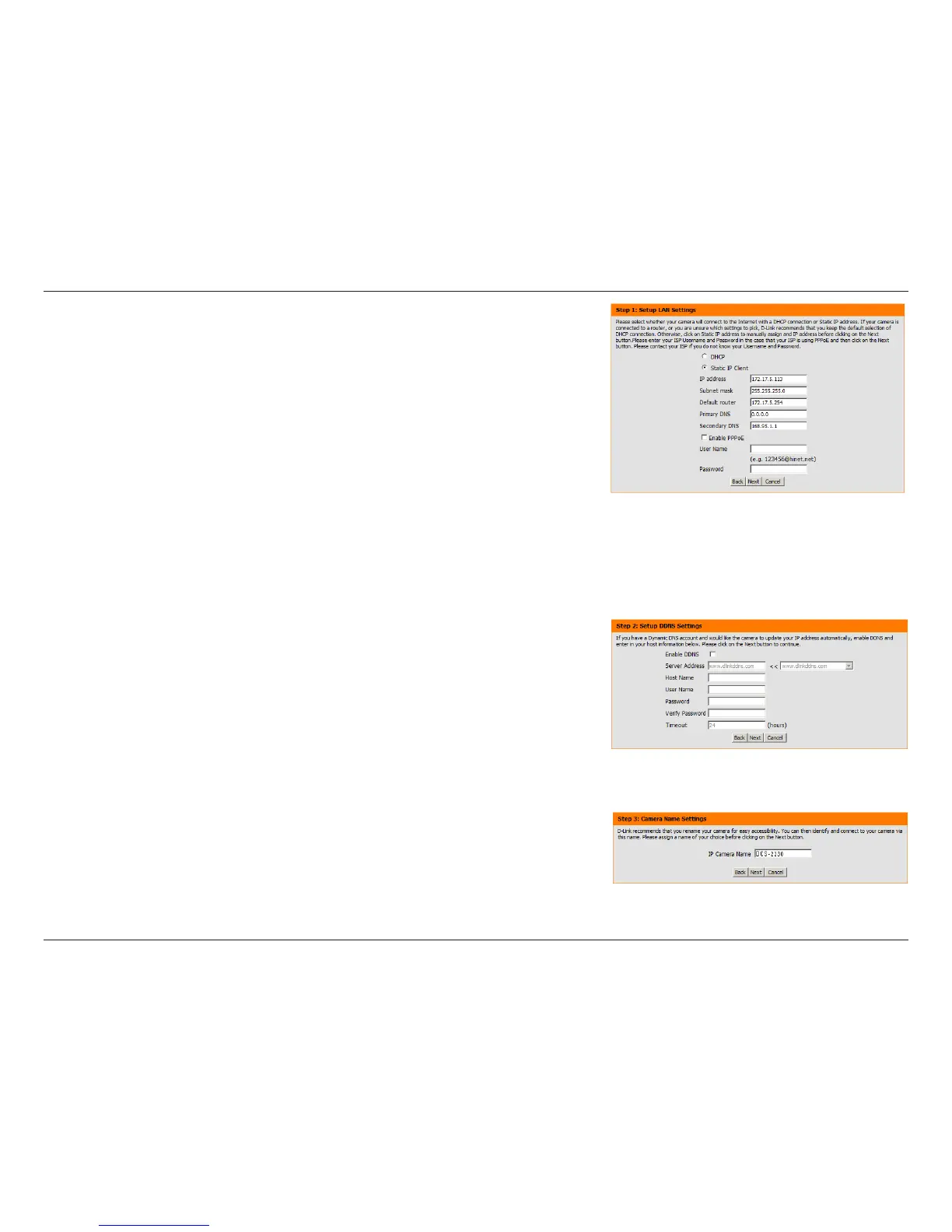
Select Static IP if your Internet Service Provider has provided you with connection
settings, or if you wish to set a static address within your home network. Enter
the correct conguration information and click Next to continue.
If you are using PPPoE, select Enable PPPoE and enter your user name and
password, otherwise click Next to continue.
If you have a Dynamic DNS account and would like the camera to update your
IP address automatically, Select Enable DDNS and enter your host information.
Click Next to continue.
Enter a name for your camera and click Next to continue.


 To Next Page