34D-Link DCS-5009L User Manual 34
Section 4 - Conguration
Image Setup
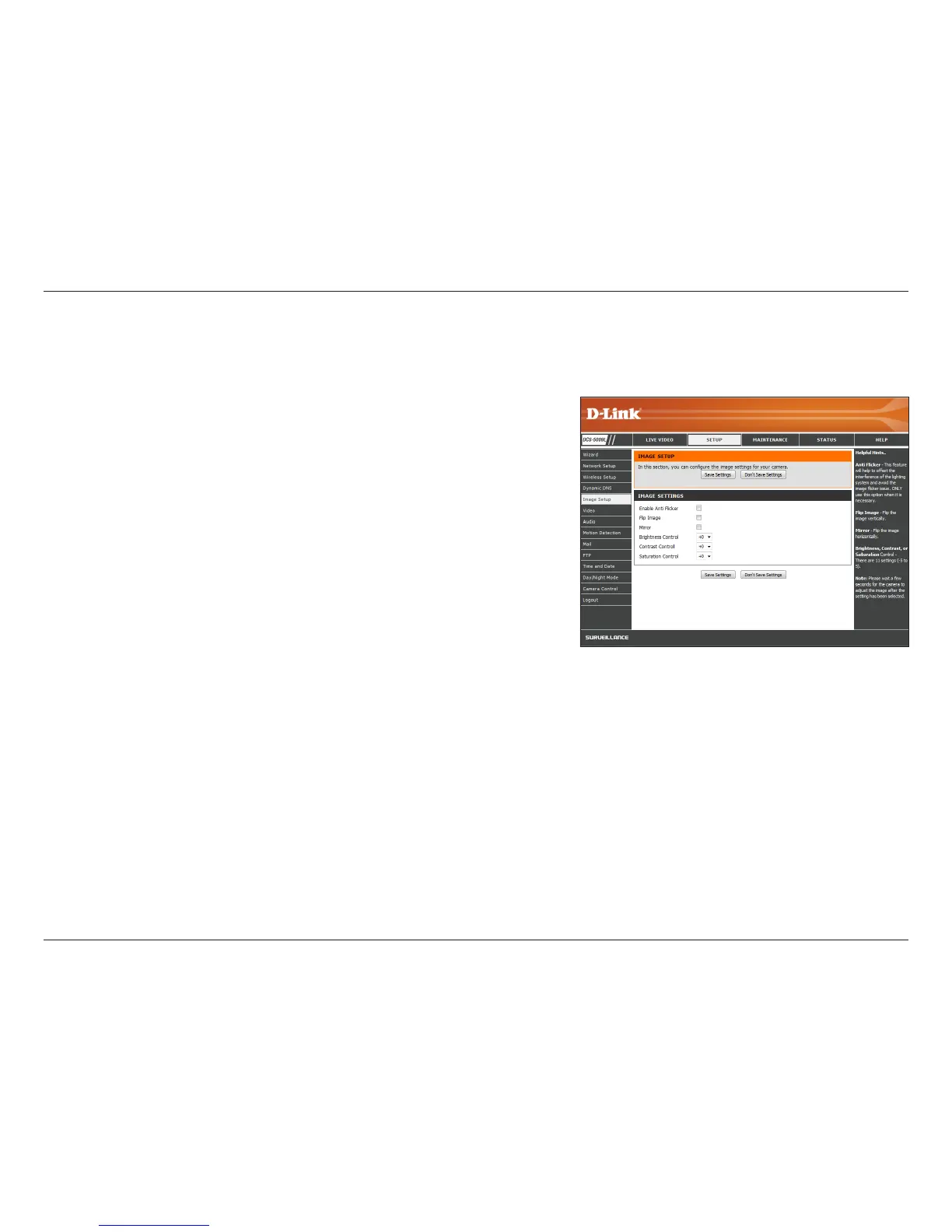
If you notice ickering when you view the image from your camera,
check the box to enable anti icker. Otherwise, you can leave this
feature disabled.
Check the box to ip the image vertically.
Check the box to ip the image horizontally.
Note: If the camera is installed upside down, Flip Image and Mirror should
both be checked.
Allows you to adjust the brightness level. Select a setting between -5
and +5 from the drop-down menu.
Allows you to adjust the contrast level. Select a setting between -5
and +5 from the drop-down menu.
Allows you to adjust the color saturation level. Select a setting between
-5 and +5 from the drop-down menu.
Click Save Settings.
Enable Anti
Flicker:
Flip Image:
Mirror:
Brightness
Control:
Contrast
Control:
Saturation
Control:
This section allows you to congure the image settings for your camera.


 To Next Page