47D-Link DCS-5009L User Manual 47
Section 4 - Conguration
Firmware Upgrade
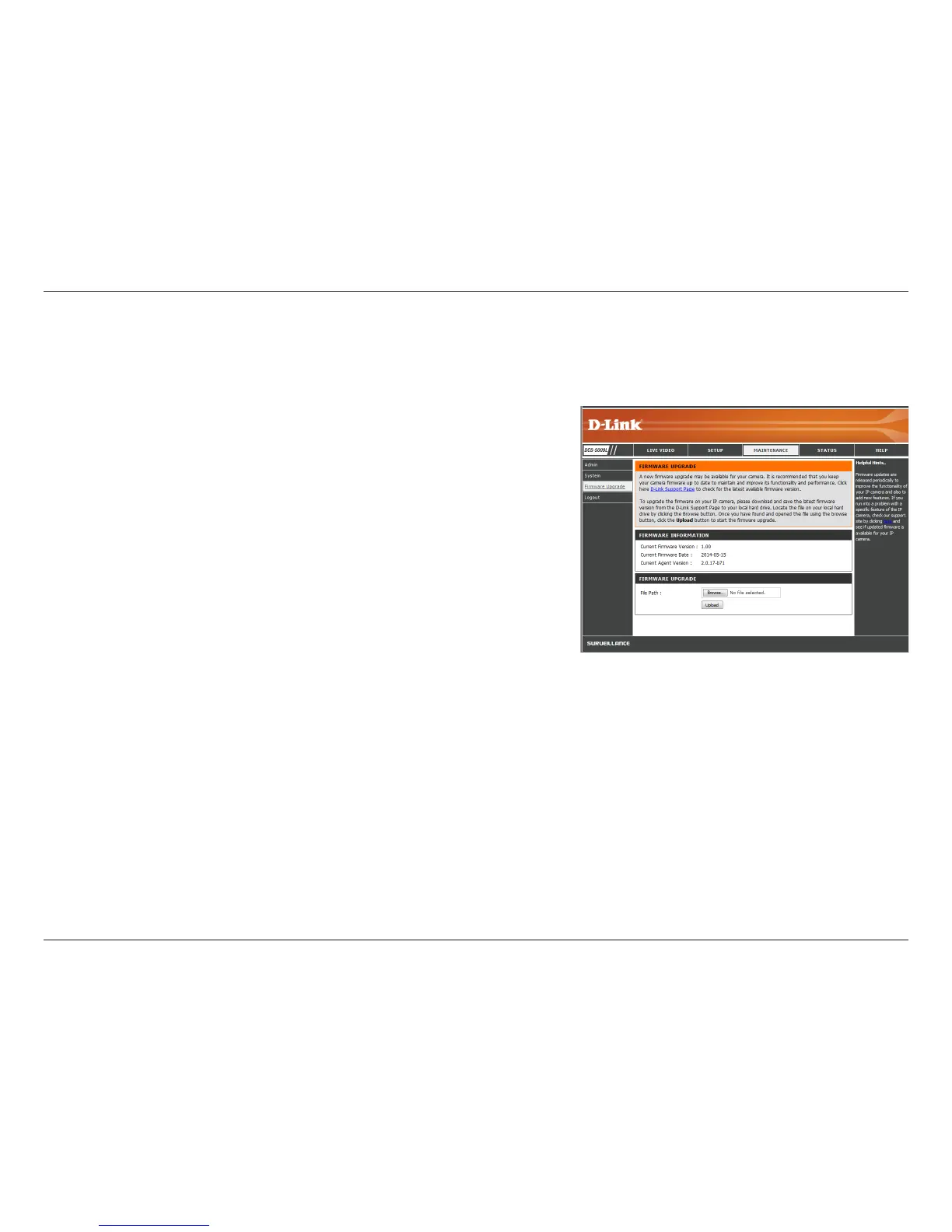
Your current rmware version and date will be displayed on your screen. You can click on the link to go to the D-Link Support Page and check for
the latest rmware versions available.
To upgrade the rmware on your DCS-5009L, download the latest rmware from the
D-Link Support Page to your local hard drive. Click Browse... and select the rmware
le, then click the Upload button to start the rmware upgrade.
Warning: The rmware upgrade process must not be interrupted or the camera may be
damaged. When upgrading rmware, do not unplug the camera or your PC, or close your
Web browser until the process is complete. It is also highly recommended that you use a
wired connection for your camera and PC when upgrading rmware.


 To Next Page