10BASE-T Stackable Hubs
Displaying Node Tracking Information
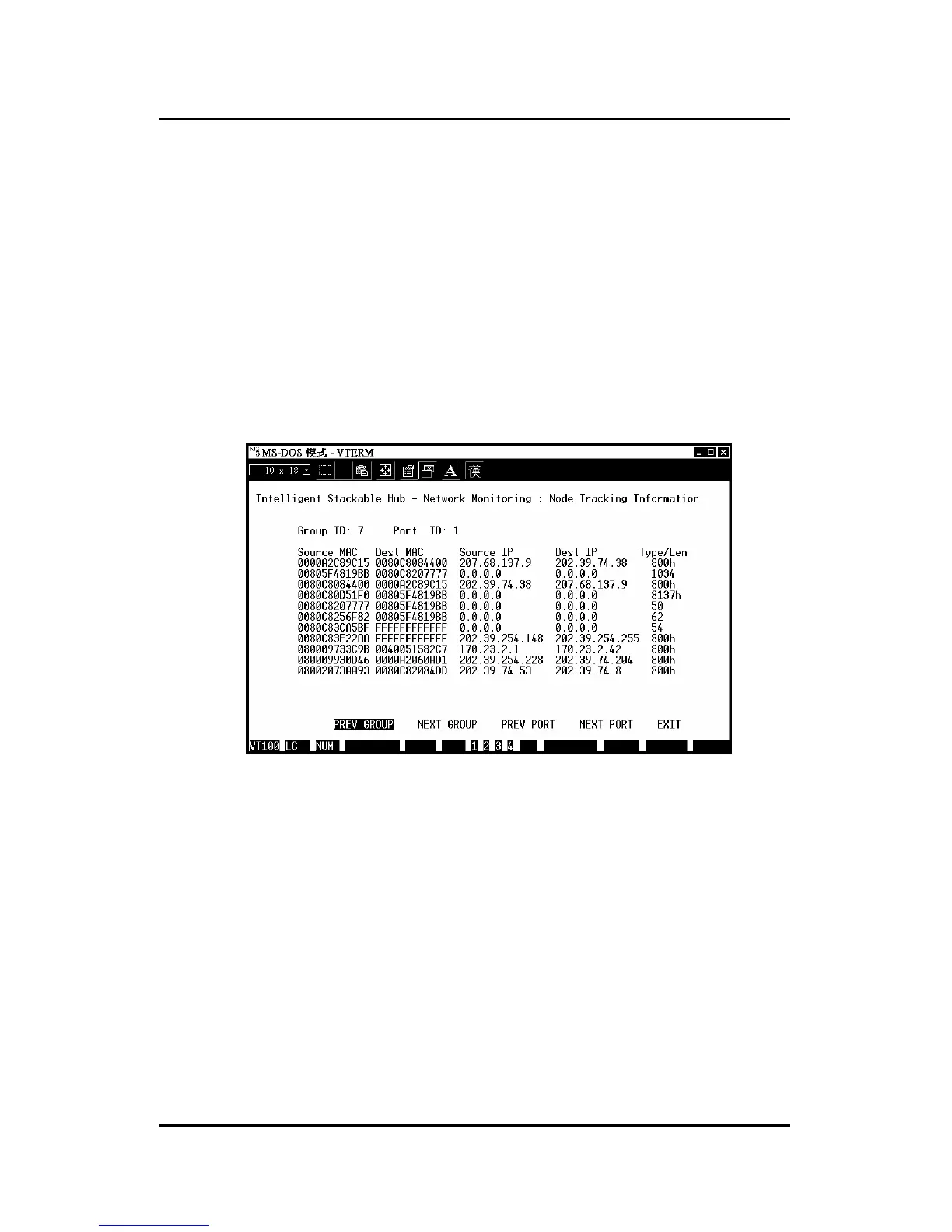
The Node Tracking Information screen, accessible from the Network
Monitoring menu, displays the source and destination addresses of packets
recently received on a given port. Ethernet (MAC) addresses are displayed
for all packets, and IP addresses are displayed for packets conforming to the
IP protocol. The Type/Len field is used to display the length field from the
Ethernet frame; values in hex represent protocol numbers, and values in
decimal represent the packet length. (Different network protocols assign
different meanings to this field.)
Figure 6 -18 Node Tracking Information
A maximum of 12 entries can be displayed per port. Entries older that the
Mode Age Timer are removed; the default value for this timer is 1 minute.
You can use the PREV GROUP, NEXT GROUP, PREV PORT, and NEXT
PORT commands to switch hubs or ports.
Using the Console Interface 6-25



 To Next Page