10/100 NWay Ethernet/Fast Ethernet Switch User’s Guide
12 Connecting The Switch
The LED indicators for PC connection are dependent on the LAN
card capabilities. If LED indicators are not illuminated after
making a proper connection, check the PC’s LAN card, the cable,
Switch conditions, and connections.
The following are LED indicator possibilities for a PC to Switch
connection:
1.
The 100Mbps LED indicator comes on for a 100 Mbps
connection and stays off for 10 Mbps connection.
2.
The Link/Act LED indicator illuminates upon hookup.
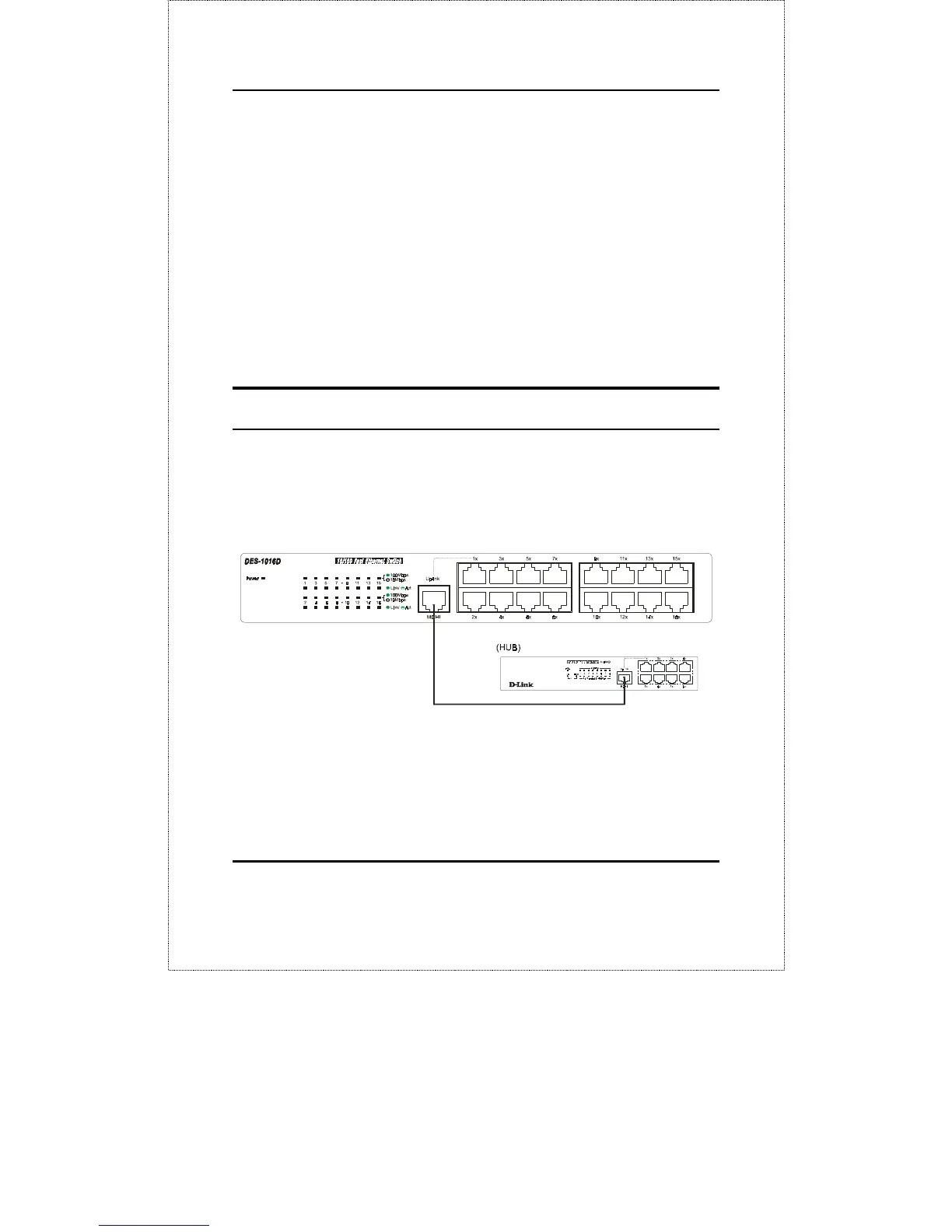
Switch to Hub (with Uplink)
A hub (10 or 100BASE-TX) can be connected to the Switch via a
two-pair Category 3, 4, 5 UTP/STP straight cable. The connection
is accomplished from the hub’s Uplink (MDI-II) port to any of the
Switch’s (MDI-X) ports.
Figure 4.2 10/100 NWay Ethernet/Fast Ethernet Switch connected
to a 10BASE-T or 100BASE-TX Hub










 To Next Page