Windows 2000, Me and 98/98se
Driver Pre-Installation
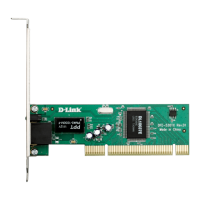
With your computer ON, insert the DFE-530TX+ Driver CD into your
CD-ROM Drive. The Autorun Screen will appear as shown here.
Users of Windows XP, Mac OS 9.x and
Mac OS X may proceed to Section 2:
Hardware Installation
Please wait until you see the following screen informing you that the drivers
have been pre-installed onto your computer.
Windows Me/98se users will be prompted to restart your computer. Click
“No” and shut down your computer manually using the Start > Shut down
function.
Click on Install Drivers
to pre-install the drivers
onto your computer.









 To Next Page

