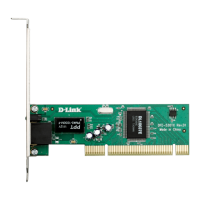
Keep the CD-ROM in your CD-ROM drive. After the DFE-530TX+ has
been physically installed in your computer and you have turned on
your computer, Windows will detect and load the appropriate drivers
automatically. See the sections below that correspond to your
operating system for more detailed information.
Windows XP Users
Windows XP includes drivers for the DFE-530TX+ and loads it
automatically as a Realtek device, which is normal. Once installed,
a notice will appear near the
clock on the Windows task
bar to inform you that the
new hardware has been
installed and it is now ready
to be used.
Windows 2000 Users
Windows 2000 will boot up and automatically install drivers for the
DFE-530TX+. Once the hour glass has disappeared, the driver install
will be complete.
Windows Me & 98/98se Users
After Windows has finished booting up and loaded the drivers, you
will see the following prompt asking you to restart your computer.
Windows XP, 2000, Me and 98/
98se Driver Installation
Users of Windows 2000, Me, and 98/98Se should have already run the
driver pre-installation program from the Driver CD. If you have not done
this and you have already installed the DFE-530TX+ into the PCI slot,
you will need to cancel the New Hardware Wizard and start over at
Section 2: Windows 2000, Me and 98/98se Driver Pre-Installation.
Click Yes to restart your computer and complete the installation.









 To Next Page

