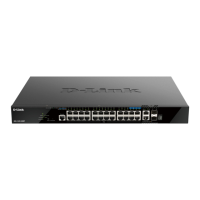
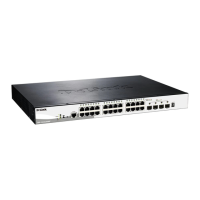
DGS-1520 Series Gigabit Ethernet Smart Managed Switch Hardware Installation Guide
20
4. Switch Connections
Stacking the Switch
Switch to Switch
Switch to Server
Switch to End Node
Stacking the Switch
Switches in the series can physically be stacked together through the last four ports on the front panel of the Switch.
Up to eight switches can be stacked and then managed through one connection to any of the LAN ports using Telnet,
the Web UI, and SNMP. This cost-effective switch provides an affordable solution for administrators to upgrade their
networks using the stacking ports to scale and stack the Switches. This increases overall reliability, serviceability, and
availability.
The stacking function needs to be enabled and configured to support either a 2-port or 4-port stacking configuration.
Stacking ports or grouped together into two logical stacking ports called SIO1 (Stacking Input/Output 1) and SIO2. A
group of logical stacking ports must always be connected, as a group, to another Switch in the stack.
The following table lists the stacking configuration with the corresponding SIO port pairs:
Configuration Switch Logical SIO1 Logical SIO2 Bandwidth
2-port 10GBASE-T DGS-1520-28
Port 25 Port 26 40 Gbps (full-duplex)
DGS-1520-28MP
Port 25 Port 26 40 Gbps (full-duplex)
DGS-1520-52
Port 49 Port 50 40 Gbps (full-duplex)
DGS-1520-52MP
Port 49 Port 50 40 Gbps (full-duplex)
2-port SFP+ DGS-1520-28
Port 27 Port 28 40 Gbps (full-duplex)
DGS-1520-28MP
Port 27 Port 28 40 Gbps (full-duplex)
DGS-1520-52
Port 51 Port 52 40 Gbps (full-duplex)
DGS-1520-52MP
Port 51 Port 52 40 Gbps (full-duplex)
4-port DGS-1520-28
Port 25 and 26 Port 27 and 28 80 Gbps (full-duplex)
DGS-1520-28MP
Port 25 and 26 Port 27 and 28 80 Gbps (full-duplex)
DGS-1520-52
Port 49 and 50 Port 51 and 52 80 Gbps (full-duplex)
DGS-1520-52MP
Port 49 and 50 Port 51 and 52 80 Gbps (full-duplex)
The following stacking topologies are supported on the Switch:
• Duplex Chain - This topology stacks switches together in a chain-link format. Using this method, data transfer
is only possible in one direction. If there is a break in the chain, data transfer will be affected.
• Duplex Ring - This topology stacks switches in a ring or circle format where data can be transferred in two
directions. It is very resilient because if there is a break in the ring, data can still be transferred through the
stacking cables between switches in the stack using the alternate path.



 To Next Page
 Loading...