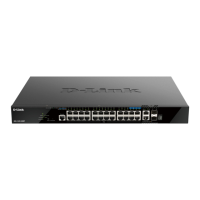
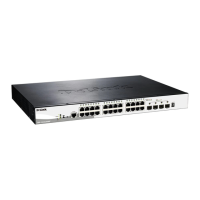
DGS-1520 Series Gigabit Ethernet Smart Managed Switch Hardware Installation Guide
iii
Table of Contents
Intended Readers ................................................................................................................................................... v
Typographical Conventions .................................................................................................................................... v
Notes and Cautions ................................................................................................................................................ v
1. Introduction ........................................................................................................................................................... 1
Switch Description .................................................................................................................................................. 1
Package Contents .................................................................................................................................................. 1
2. Hardware Components ........................................................................................................................................ 2
Front Panel Components ........................................................................................................................................ 2
Front Panel LED Indicators ............................................................................................................................... 4
Rear Panel Components ........................................................................................................................................ 6
Rear Panel LED Indicators ................................................................................................................................ 8
Side Panel Components ......................................................................................................................................... 9
Smart Fans ...................................................................................................................................................... 10
3. Installation ........................................................................................................................................................... 11
Installation Guidelines ........................................................................................................................................... 11
Installing the Switch without a Rack ..................................................................................................................... 11
Installing the Switch in a Standard 19" Rack ........................................................................................................ 12
Installing Transceivers into the Transceiver Ports ................................................................................................ 13
Connecting AC Power to the Switch ..................................................................................................................... 14
Installing the AC Power Cord Retainer ............................................................................................................ 14
Connecting PoH to the Switch .............................................................................................................................. 17
Installing the Redundant Power Supply (RPS) ..................................................................................................... 18
Connecting the DPS-700 RPS to the Switch ................................................................................................... 18
4. Switch Connections ........................................................................................................................................... 20
Stacking the Switch .............................................................................................................................................. 20
Switch to Switch .................................................................................................................................................... 23
Switch to Server .................................................................................................................................................... 24
Switch to End Node .............................................................................................................................................. 24
5. Switch Management ........................................................................................................................................... 25
Management Options ........................................................................................................................................... 25
Command Line Interface (CLI) ............................................................................................................................. 25
Connecting to the Console Port ...................................................................................................................... 25
Logging into the CLI ........................................................................................................................................ 26
Creating a User Account ................................................................................................................................. 26
Configuring the IP Address.............................................................................................................................. 26
Web User Interface (Web UI) ............................................................................................................................... 27
Connecting to the Web UI ............................................................................................................................... 27
Logging into the Web UI .................................................................................................................................. 27
Web Interface Navigation ................................................................................................................................ 28
SNMP-based Management .................................................................................................................................. 29
Connecting using SNMP ................................................................................................................................. 29
Traps ................................................................................................................................................................ 29
Management Information Base (MIB) ............................................................................................................. 29
Appendix A - Technical Specifications ....................................................................................................................... 30
Appendix B - Cables and Connectors ......................................................................................................................... 35
Ethernet Cable ...................................................................................................................................................... 35
Console Cable ...................................................................................................................................................... 36



 To Next Page
 Loading...