31D-Link DHP-W310AV User Manual
Section 3 - Conguration
Wireless
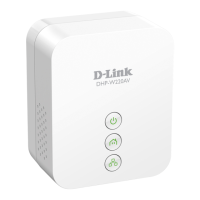
This section allows you to view the wireless devices that are connected to your wireless DHP-W310AV.
Number of
Wireles Clients:
SSID:
MAC Address:
Uptime:
Mode:
Rssi (%):
Displays the number of devies that are
connected to the DHP-W310AV via wireless.
The wireless network’s name.
Displays the Ethernet ID (MAC address) of the
wireless client.
Shows how long that device has been connected
to the DHP-W310AV.
Shows the mode the device is using to connect to your DHP-W310AV. This should be 11b, 11g, or 11n.
This shows the strength of your device’s connection.


 To Next Page