10
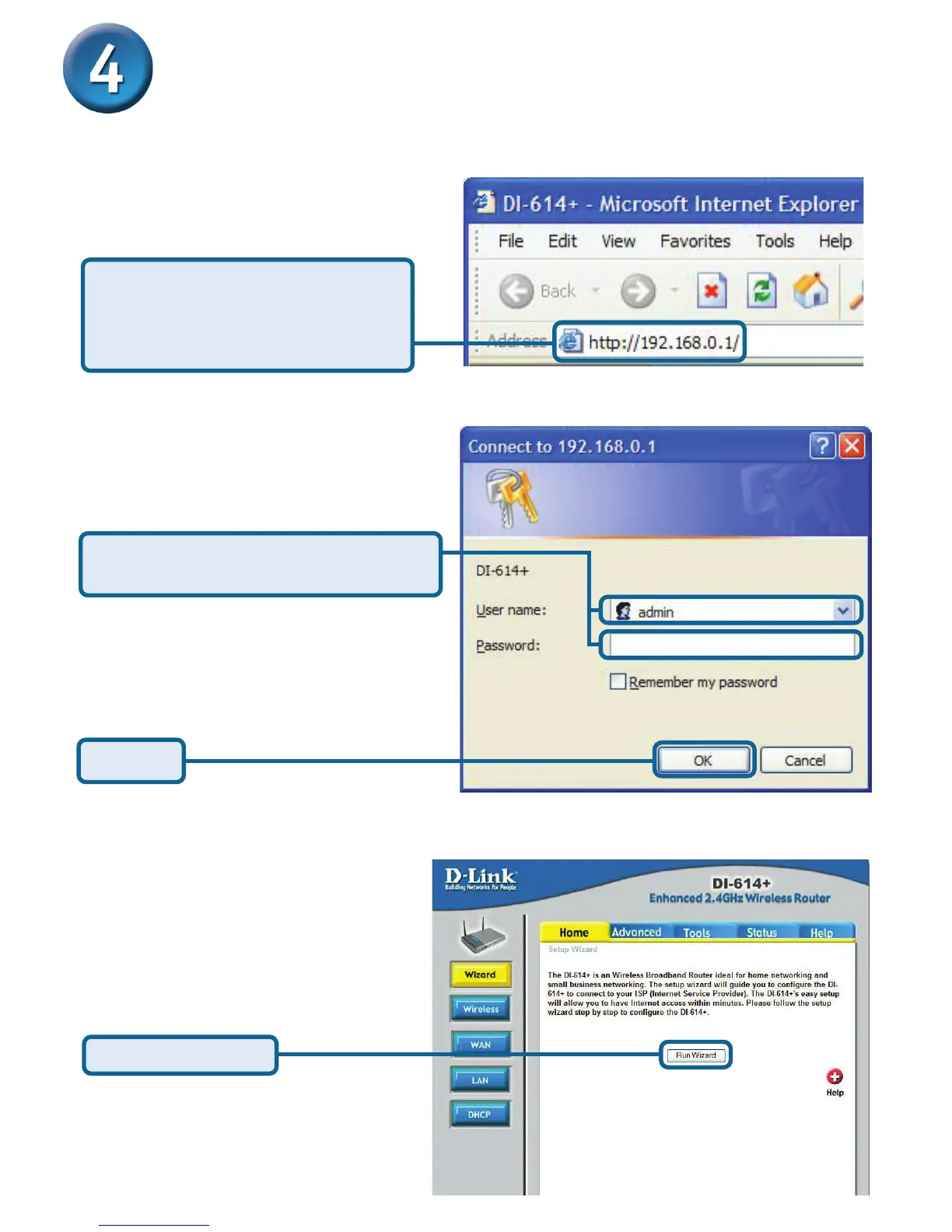
Once you have logged in, the Home
screen will appear.
Click Run Wizard
Using The Setup Wizard for the DI-614+
The logon pop-up screen will appear.
Open your Web browser and
type “http://192.168.0.1” into the
URL address box. Then press the
Enter or Return key.
Type “admin” for the username and
leave the password field blank.
Click OK
Please follow the steps below to configure your Broadband connection
settings.








 To Next Page