12
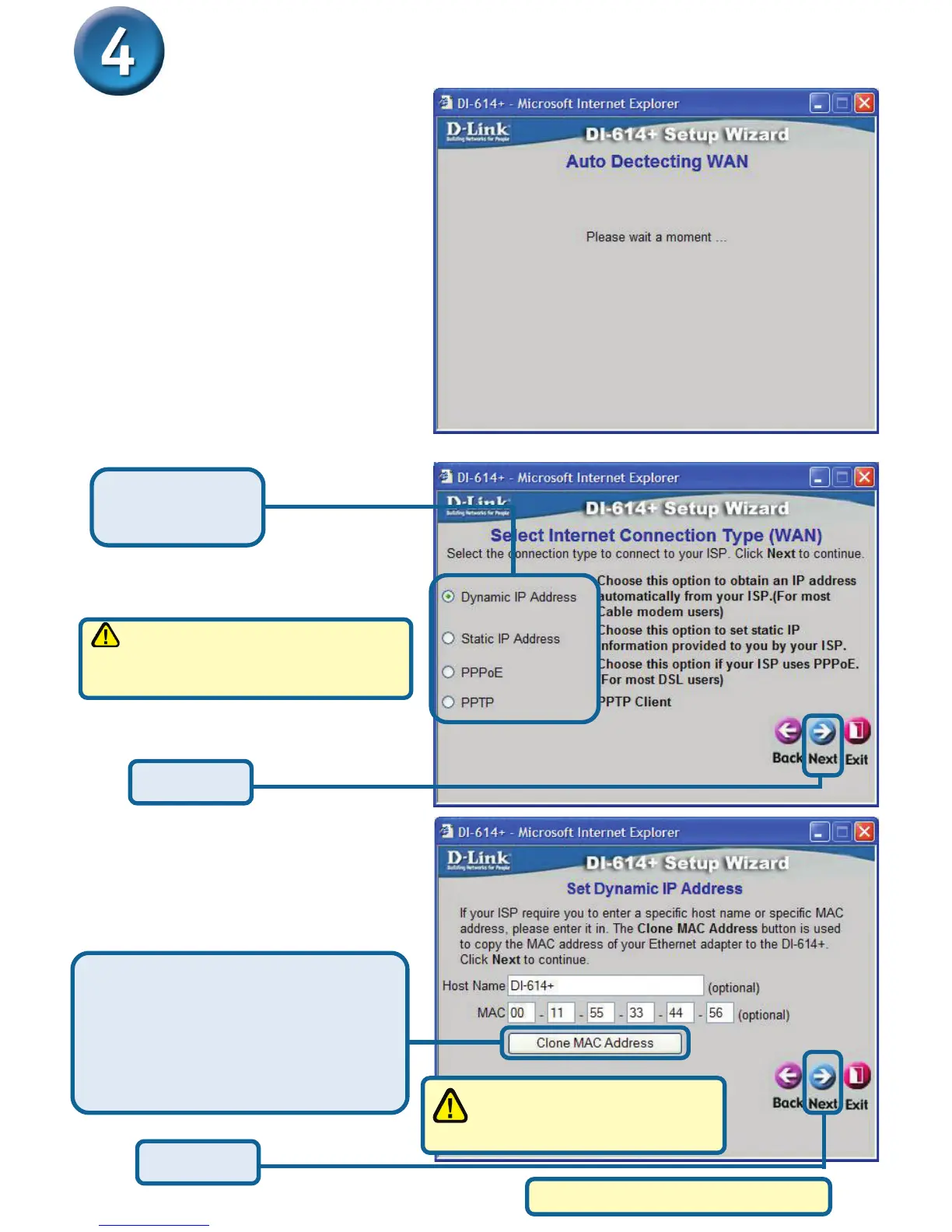
If you selected Dynamic IP
Address, this screen will
appear: (Used mainly for
Cable Internet service.)
Click the “Clone MAC Address”
button to automatically copy the
MAC address of the network
adapter in your computer. You can
also manually type in the MAC
address.
The Setup Wizard (continued)
If you are unsure of which setting
to select, please contact your
Internet Service Provider.
Click Next
Click Next
This setup should be done on
the computer that is registered
on the ISP’s network.
Please continue to Wireless Setup.
A this point, the setup wizard
will try to auto-detect your
Internet connection type. If
you have a Dynamic or PPPoE
connection, you will be brought
to the corresponding page.
Otherwise, you will see the following screen:
Select one of
these settings.








 To Next Page