13
The Setup Wizard (continued)
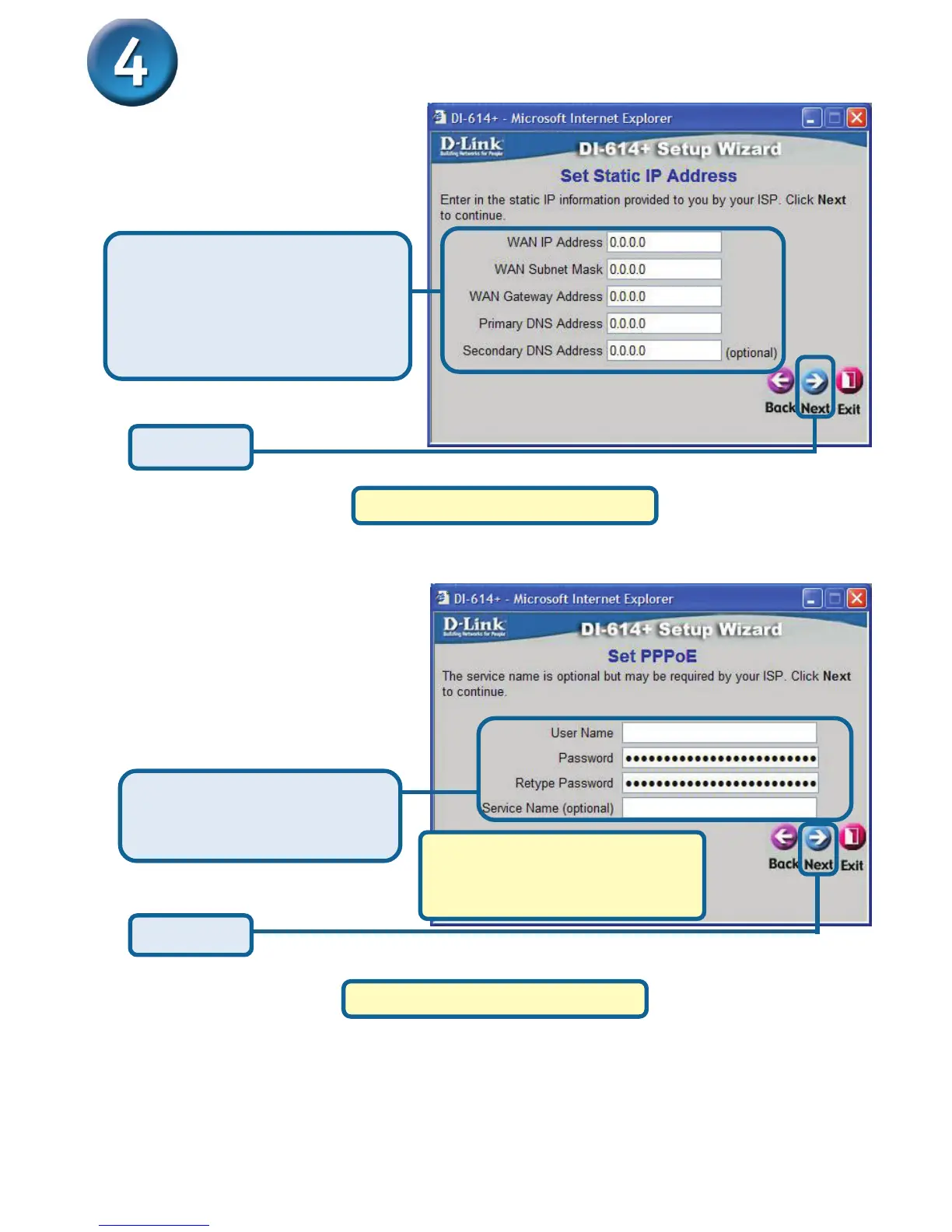
If your ISP requires a Static
IP Address, and this option
is selected, then this
screen will appear:
Click Next
Please continue to Wireless Setup.
If your ISP uses PPPoE
(Point-to-Point Protocol over
Ethernet), and this option is
selected, then this screen will
appear: (Used mainly for DSL
Internet service.)
Please be sure to remove any
existing PPPoE client software
installed on your computers.
Click Next
Please continue to Wireless Setup.
Enter the IP Address informa-
tion in the appropriate fields as
originally provided to you by
your ISP. You will need to
complete all the required fields.
Enter in the Username and
Password provided to you by
your ISP.








 To Next Page