4
The step-by-step instructions that follow are
shown in Windows XP. The steps and
screens are similar for the other Windows
operating systems.
Turn on the computer and Insert the
D-Link AirPlus DWL-650+ Driver CD
in the CD-ROM drive.
Do NOT
install the
DWL-650+ Cardbus
Adapter into your
computer before
installing the driver
software .
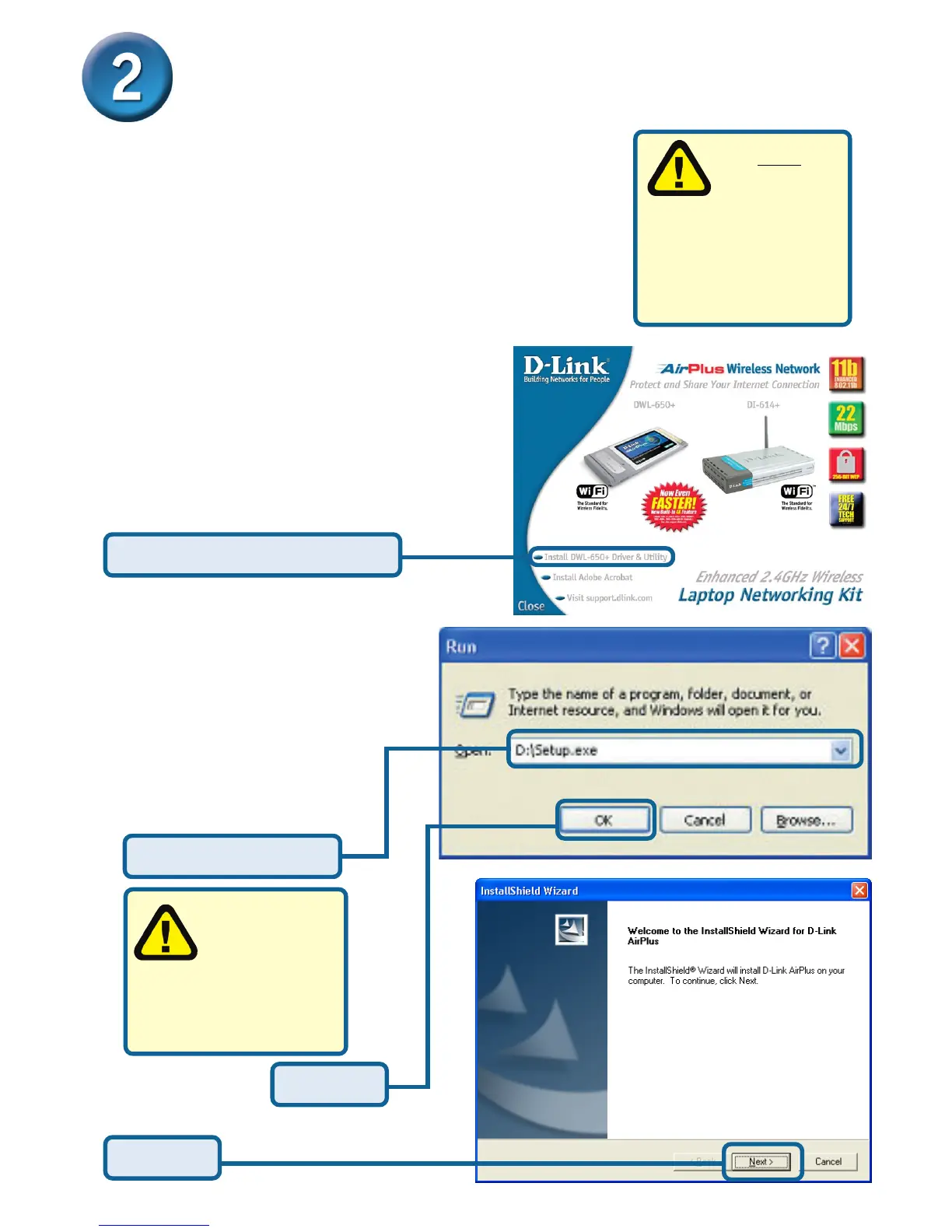
The Installation Screen will appear.
If the CD Autorun function on your
computer does not automatically
start, go to Start > Run and type
“D:\Setup.exe”. If it does start,
proceed to the next screen.
Type “D:\Setup.exe”
Click Install Driver /PC Utility
The letter “D”
represents the
letter of the
CD-ROM drive. Your CD-
ROM drive may be a
different drive letter.
Click OK
Click OK
Installing the DWL-650+








 To Next Page