5
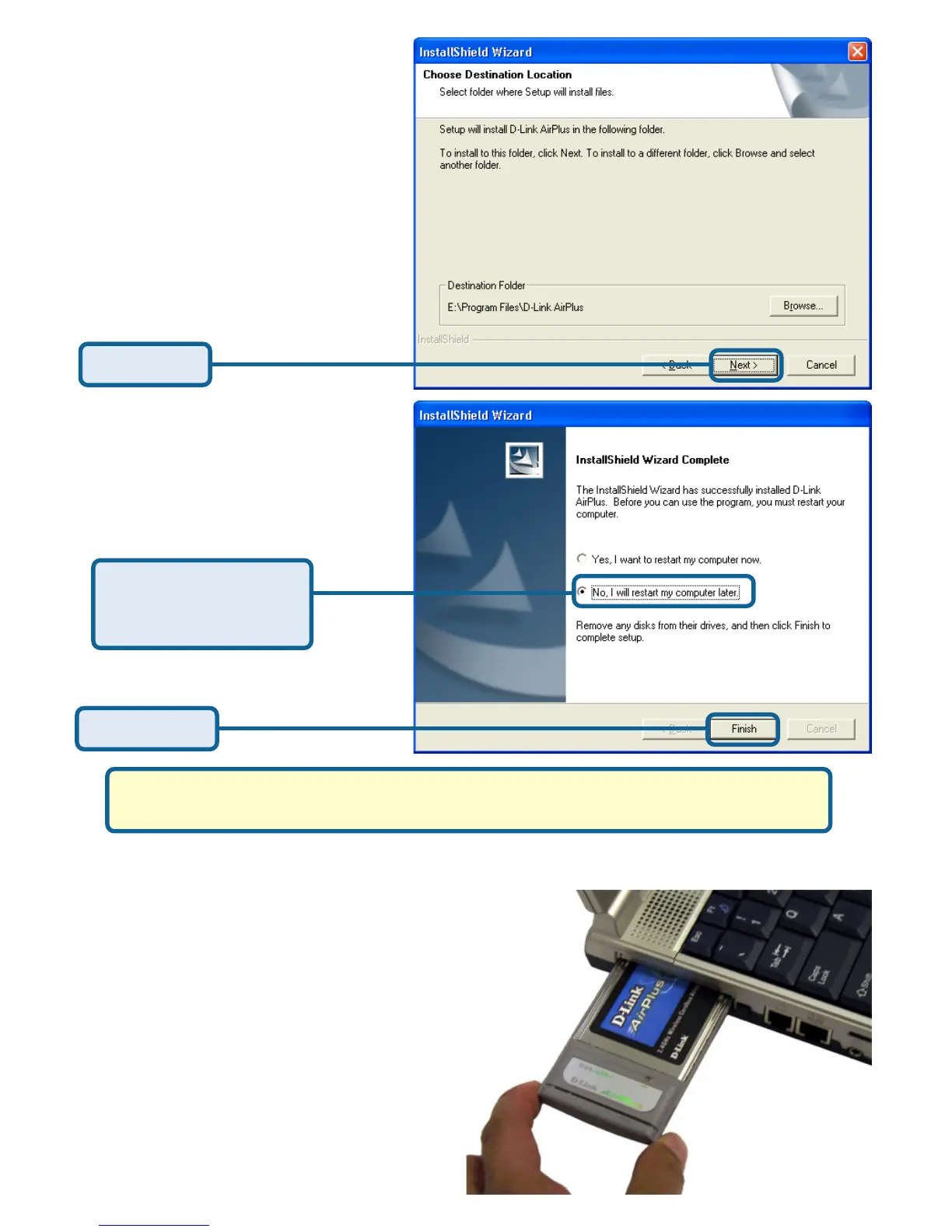
Click Next
Select No, I will
restart my computer
later
Click Finish
Shut down your laptop
Insert the DWL-650+ Wireless Cardbus Adapter
into the Cardbus Slot in your Laptop.
Make sure to turn off the
laptop computer.
Locate the Cardbus slot on
your laptop computer.
Gently insert the DWL-650+ into
the Cardbus slot in your
laptop computer (as shown).
A.
B.
C.








 To Next Page