2. RJ-45 UTP network cable
Setup through Windows
Graphic User Interface
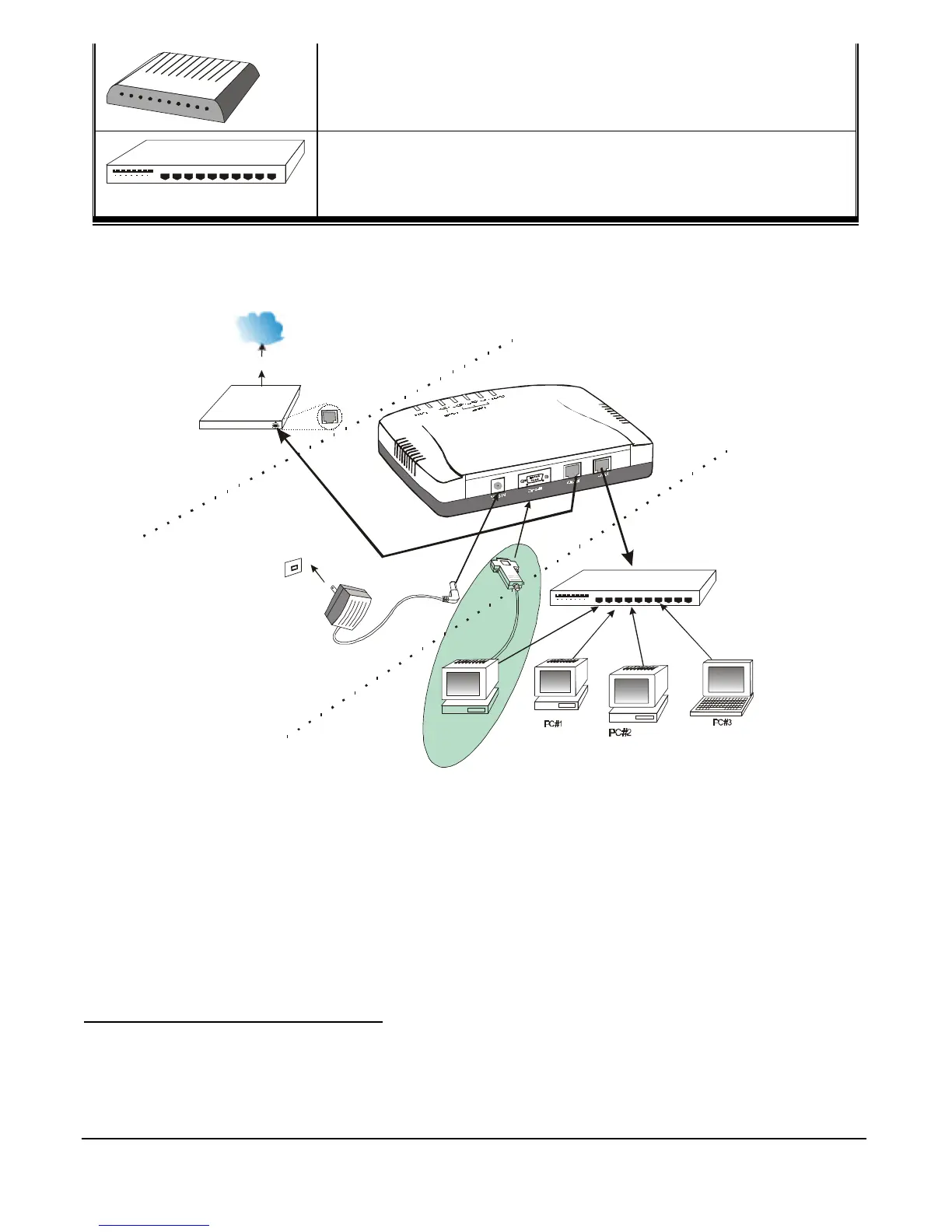
Figure 3: Hardware Connections
1. Make sure your DI-701 iShare is installed and connected properly. Use a UTP Ethernet
cross-over cable
1
to connect the Global port. See Figure 3.
2. Use a CAT3 or CAT5
2
UTP Ethernet straight cable to connect the Local port to a free
port on your hub or switch.
1
Check if your DI-107 is cross-over. If not, this Ethernet cross-over cable should be used instead of the standard
Ethernet straight cable that came with your DI-701.
2
CAT5 cable is required for 100Mbps data transfer rate transmission.


 To Next Page
 Loading...