105D-Link DIR-645 User Manual
Section 3 - Software Conguration
Device Info
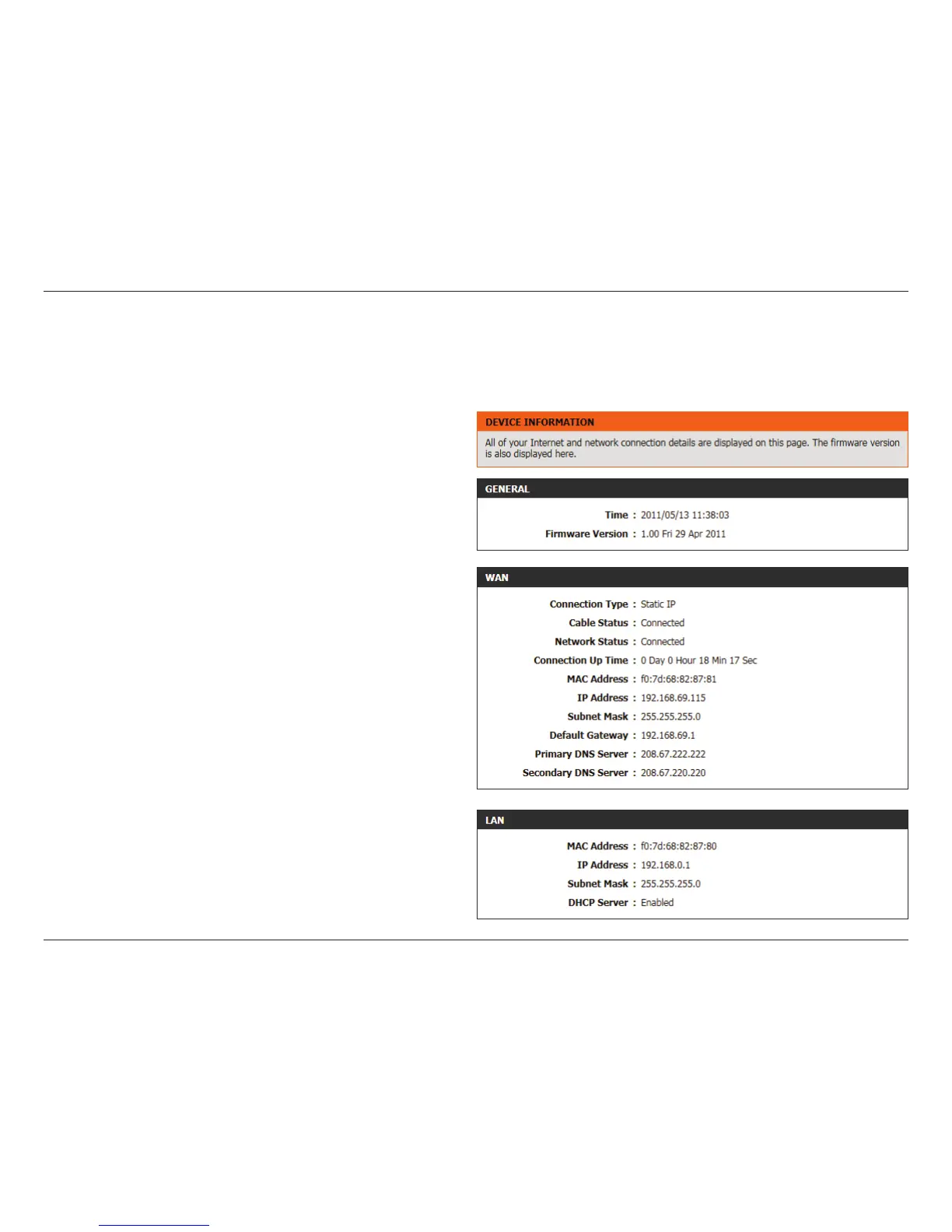
This page displays the current information for the router. It will display the LAN, WAN (Internet), and Wireless information. If your Internet connection
is set up for a Dynamic IP address then a Release button and a Renew button will be displayed. Use Release to disconnect from your ISP and use
Renew to connect to your ISP.
In the General section, information about the time and rmware is
being displayed.
In the WAN section, information about the Internet connection is being
displayed.
In the LAN section, information about the Local Area Network
conguration is being displayed.













 To Next Page