70D-Link DIR-830L User Manual
Section 3 - Conguration
Upgrade
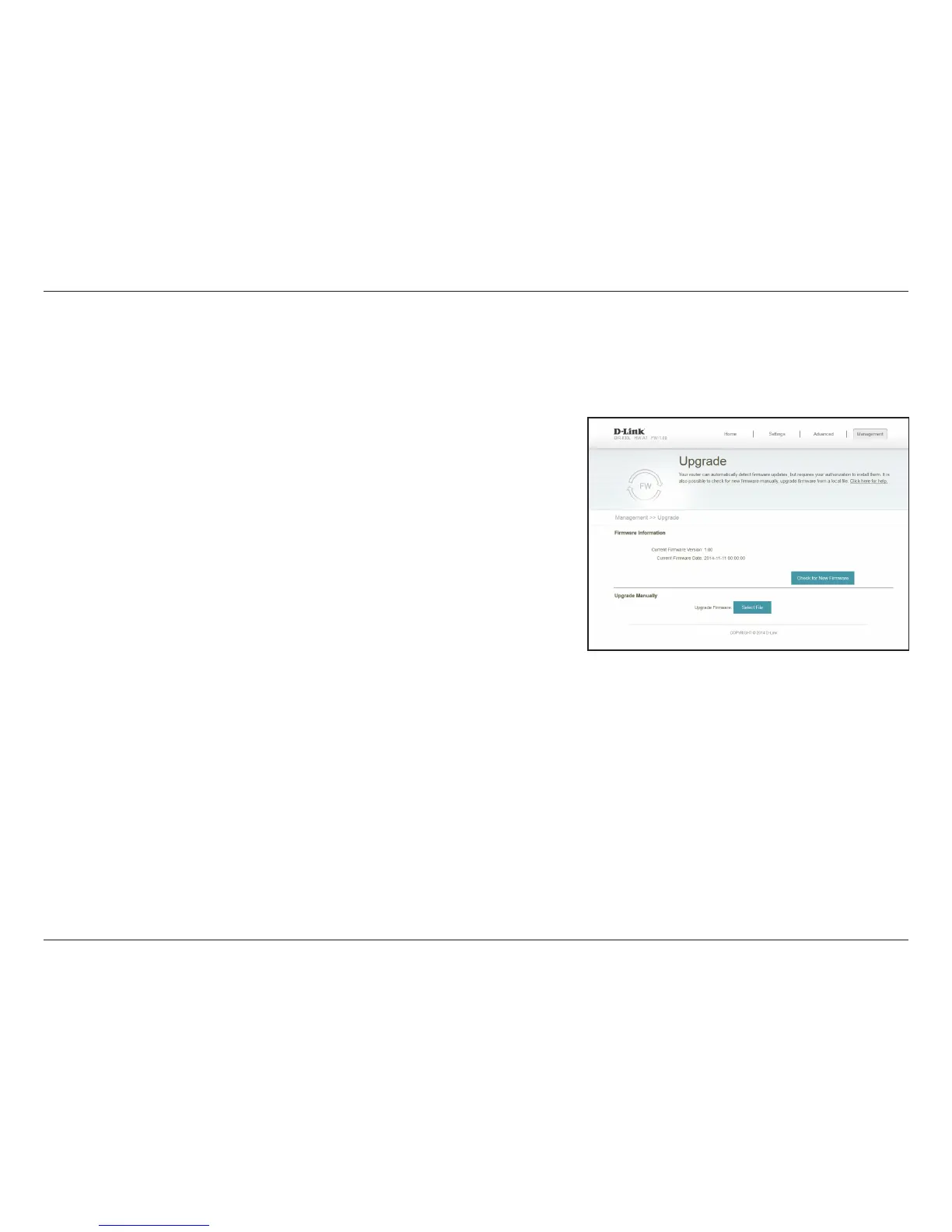
This page will allow you to upgrade the router’s rmware or language pack, either automatically or manually. To manually upgrade the rmware
or language pack, you must rst download the relevant le from http://support.dlink.com.
The current rmware’s version and date will be displayed.
Click this button to prompt the router to automatically check for a new
rmware version. If a newer version is found, it will prompt you to install it.
If you wish to upgrade manually, rst download the rmware le you wish
to upgrade to. Next, click the Select File button and browse to the le to
install the new rmware. You can also browse to a language pack le to
install a new language pack.
Firmware
Information:
Check for New
Firmware:
Upgrade
Firmware:
From the Management menu on the bar on the top of the page, click Upgrade.


 To Next Page