72D-Link DIR-830L User Manual
Section 4 - Shareport
The mydlink SharePort app is a streamlined mobile application that allows you to conveniently stream media and share les
stored on a removable storage connected to your router. Once the router is set up, you can start the app and easily connect
from a local network or through the Internet to access your photos, videos, music, and documents. It allows you to create your
own personal cloud storage; you can upload les and photos from your mobile device to the removable storage via the app
from anywhere in the world!
Note: In order to ensure smooth streaming performance, you will need a minimum of 2 Mbit/s upload bandwidth for your router’s Internet connection.
Streaming performance will vary depending on the quality of your Internet connection.
Using the mydlink SharePort™ App
iOS Devices
The instructions that follow are for the mydlink SharePort app for iPad®, iPhone®, and iPod touch®. Users of Android devices may
skip to “Android™” on page 92.
1. If you are connecting remotely through the mydlink SharePort app from the Internet,
you will need a mydlink account. (For more information, go to www.mydlink.com.
To setup a mydlink account, refer to “mydlink” on page 53.)
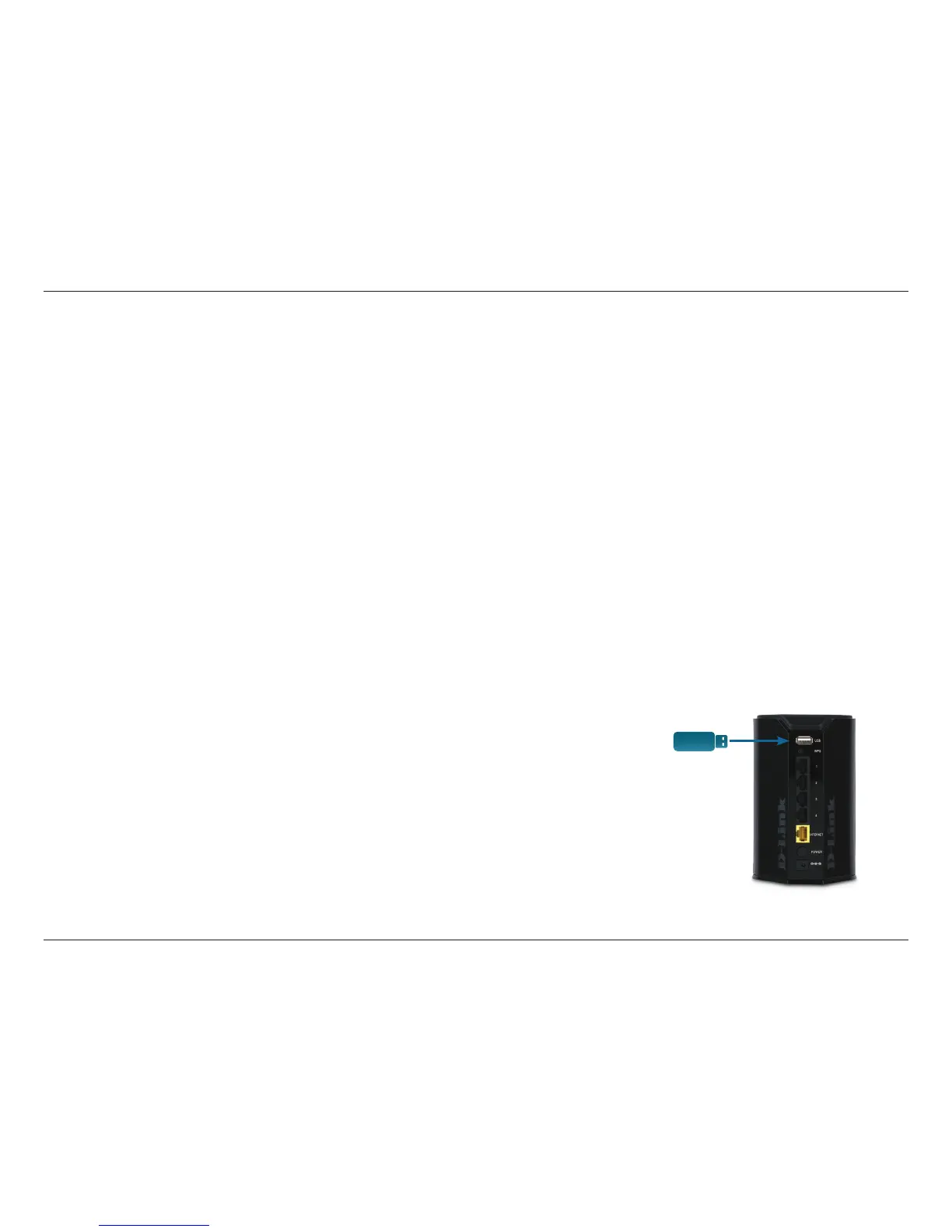
2. Make sure the DIR-830L is powered on. Then plug your USB drive into the USB port
on the back of the router.
Note: If you connect a USB drive containing many les or with a large capacity, it may take a while
for the router to scan and catalog your les.
Connect Remotely from the Internet
USB drive


 To Next Page