90D-Link DIR-830L User Manual
Section 4 - Shareport
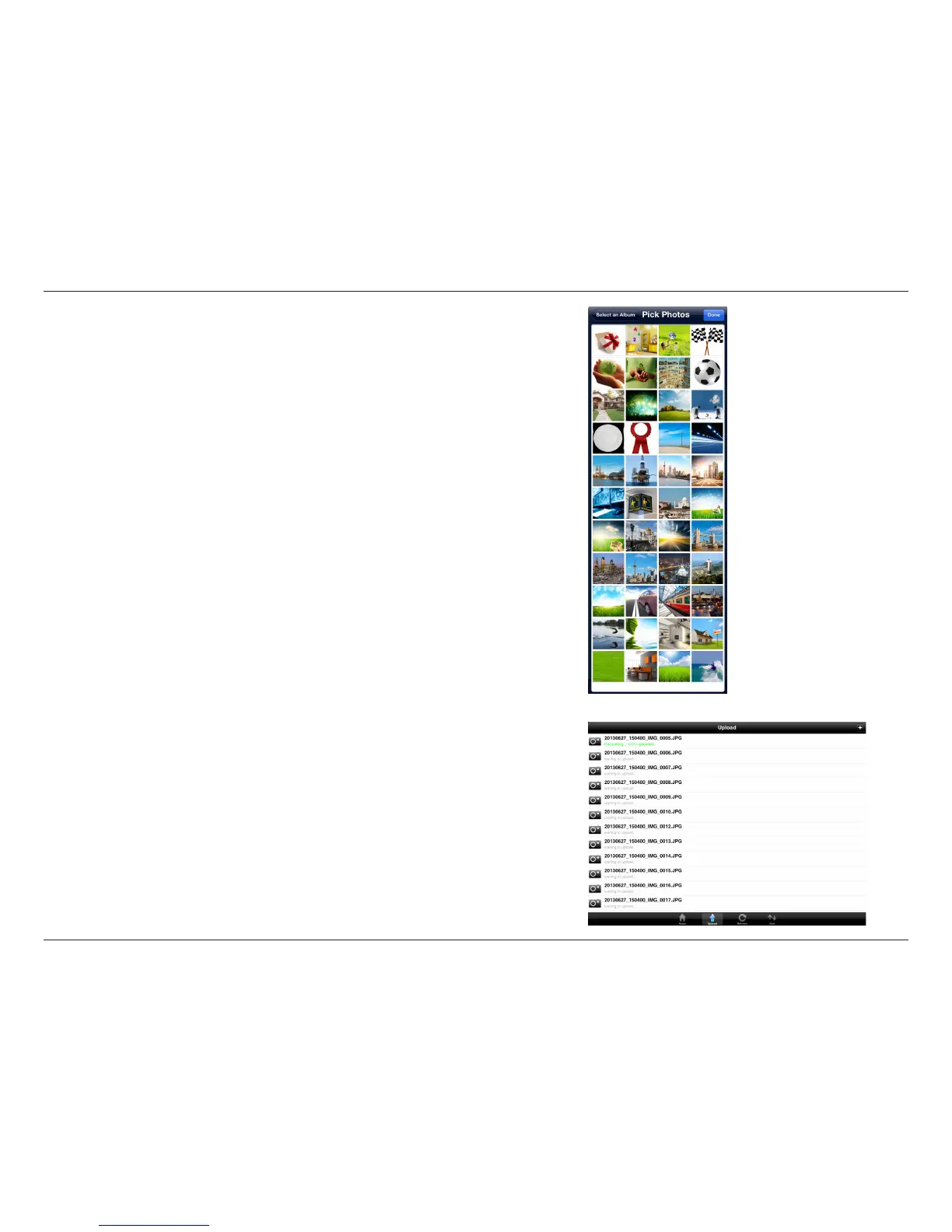
During the upload process, the size of the le and the upload progress
will be displayed.
To upload more les, tap the + icon at the top right and repeat the steps
listed above.
To upload images and videos from your mobile device:
• Browse to the folder you wish to upload les to.
• Tap Upload at the bottom. The Pick Photos window will open.
• Tap to select the photos and/or videos you wish to upload.
• Tap Done.


 To Next Page