DIR-841 AC1200 Wave 2 MU-MIMO Wi-Fi Router
with Gigabit WAN Port
User Manual
Installation and Connection
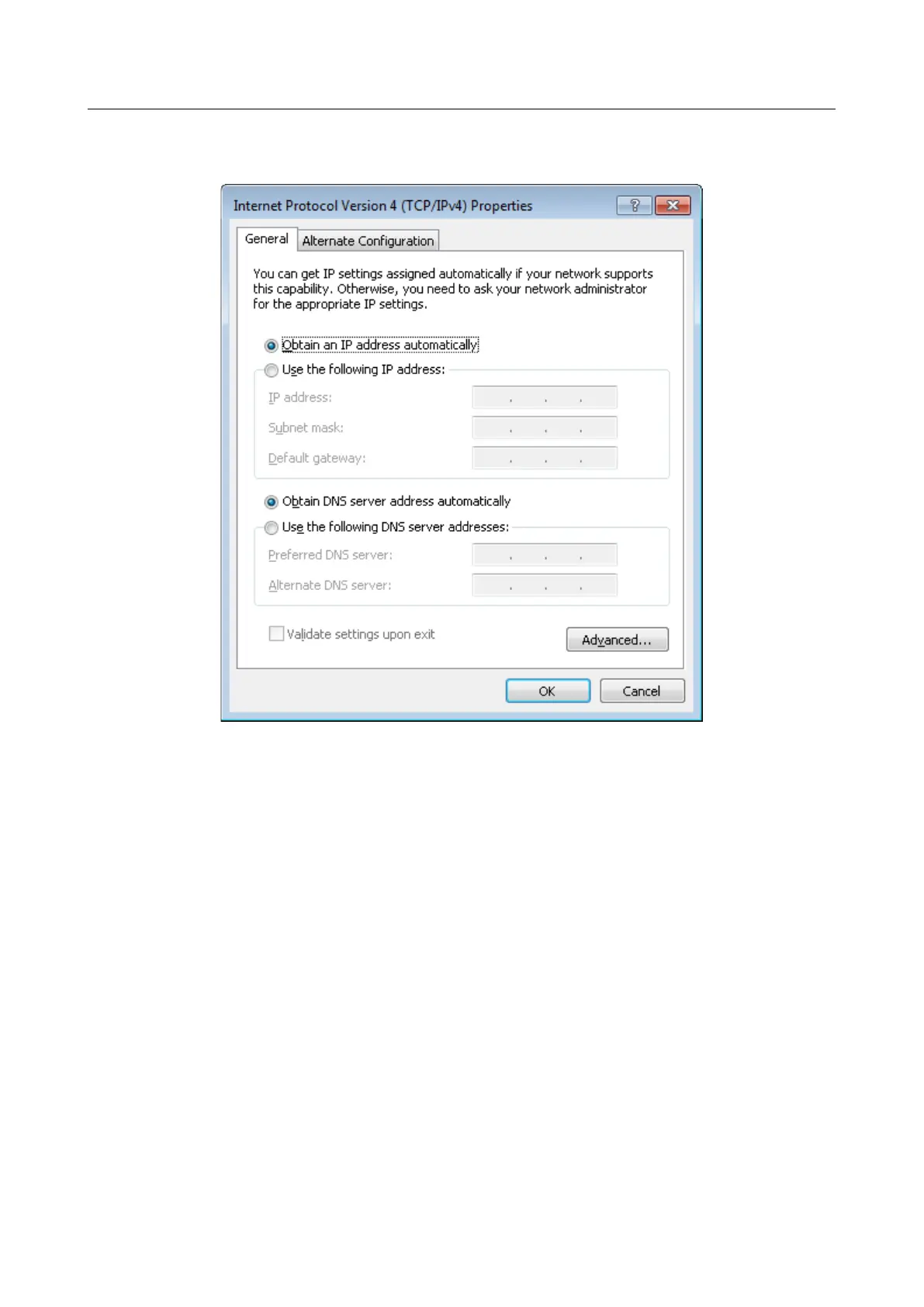
6. Make sure that the Obtain an IP address automatically and Obtain DNS server
address automatically choices of the radio buttons are selected. Click the OK button.
Figure 7. The Internet Protocol Version 4 (TCP/IPv4) Properties window.
7. Click the OK button in the connection properties window.
Page 25 of 209



 To Next Page