DIR-841 AC1200 Wave 2 MU-MIMO Wi-Fi Router
with Gigabit WAN Port
User Manual
Configuring via Web-based Interface
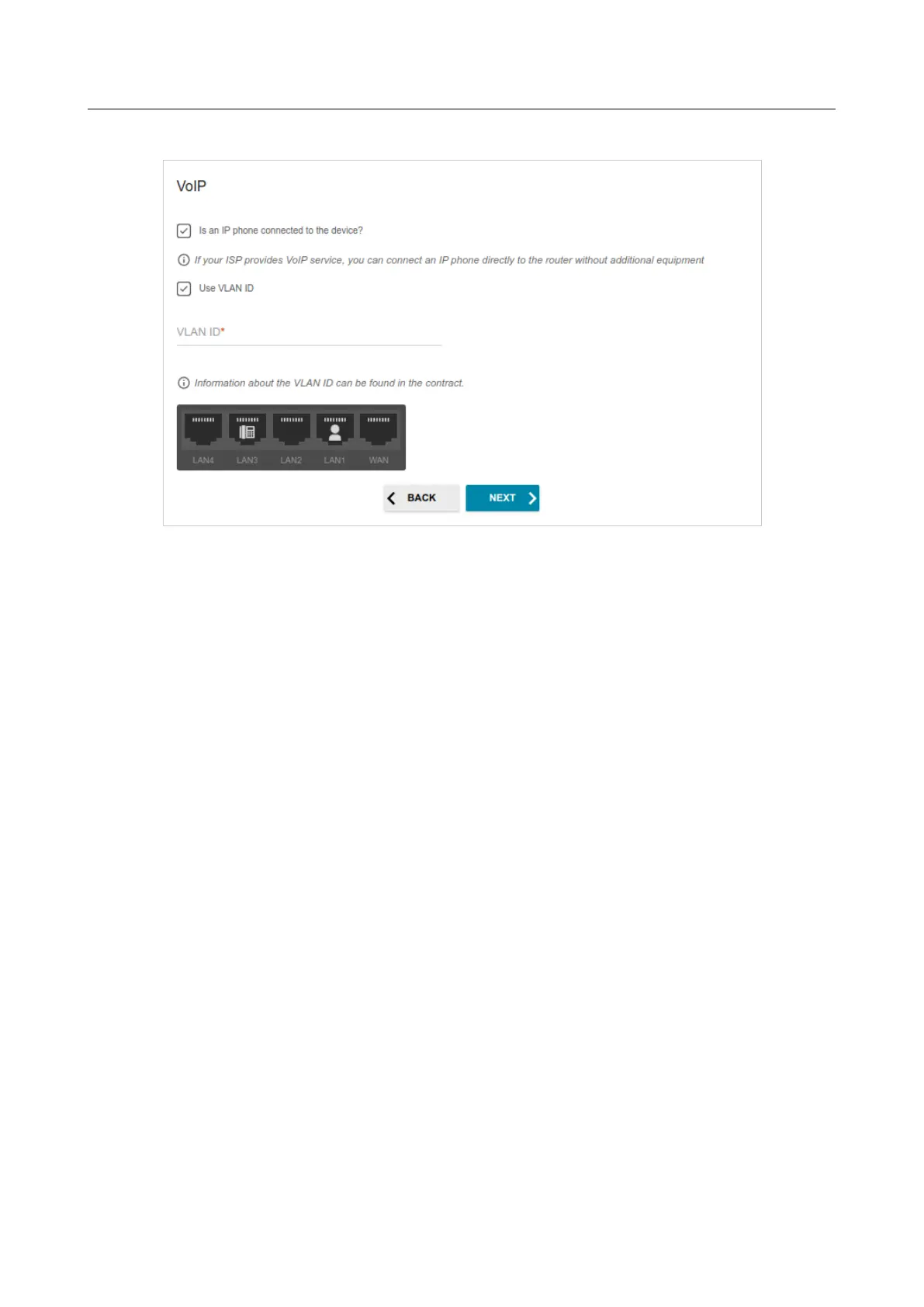
5. On the VoIP page, select the Is an IP phone connected to the device checkbox.
Figure 49. The page for selecting a LAN port to connect an VoIP phone.
6. Select a free LAN port for connecting your IP phone.
7. If the VoIP service is provided via a VLAN channel, select the Use VLAN ID checkbox and
fill in the VLAN ID field.
8. Click the NEXT button to continue or click the BACK button to specify other settings.
Page 62 of 209



 To Next Page