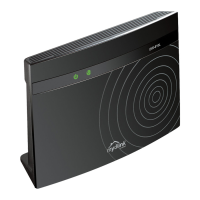
4D-Link DIR-880L User Manual
Section 1 - Product Overview
• Faster Wireless Networking - The DIR-880L uses advanced AC beamforming to provide up to a full 1900 Mbps
*
wireless connection with concurrent 801.11ac and 802.11n wireless clients . It also operates on both the 2.4GHz
and 5GHz bands to allow separation of trac so users can participate in high-bandwidth activities, such as video
streaming, online gaming, and real-time audio, without aecting low-priority trac like email and web surng.
• Cloud Features - The DIR-880L is mydlink-enabled so you can remotely access and manage your router from a
mobile device. It supports the mydlink SharePort™ app, allowing you to share les, stream videos, view photos,
and play music. SharePort Plus lets you share a printer.
• Compatible with 802.11n/g/a Devices - The DIR-880L is still fully compatible with the 802.11n, 802.11g and
802.11a standards, so it can connect with existing 802.11n, 802.11g, and 802.11a wireless devices.
• Advanced Firewall Features - The DIR-880L's web-based user interface displays a number of advanced network
management features including:
• Content Filtering - Easily applied content ltering based on MAC address, URL, and/or domain name.
• Filter Scheduling - Filters that can be scheduled to be active on certain days, or for a specic range
of hours or minutes.
• Secure Multiple/Concurrent Sessions - The DIR-880L can pass through VPN sessions. It supports
multiple and concurrent IPSec and PPTP sessions, so users behind the DIR-880L can securely access
corporate networks.
• User-friendly Setup Wizard - Through its easy-to-use web-based user interface, the DIR-880L lets you control
what information is accessible to those on the wireless network, whether from the Internet, or from your
company’s server. Congure your router to your specic settings within minutes.
Features
* Maximum wireless signal rate derived from IEEE Standard 802.11ac, 802.11a, 802.11g, and 802.11n specications. Actual data throughput will vary. Network conditions and
environmental factors, including volume of network trac, building materials and construction, and network overhead, lower actual data throughput rate. Environmental
conditions will adversely aect wireless signal range.



 To Next Page