D-Link DNS-346 USER’S MANUAL
Page 18 of 85
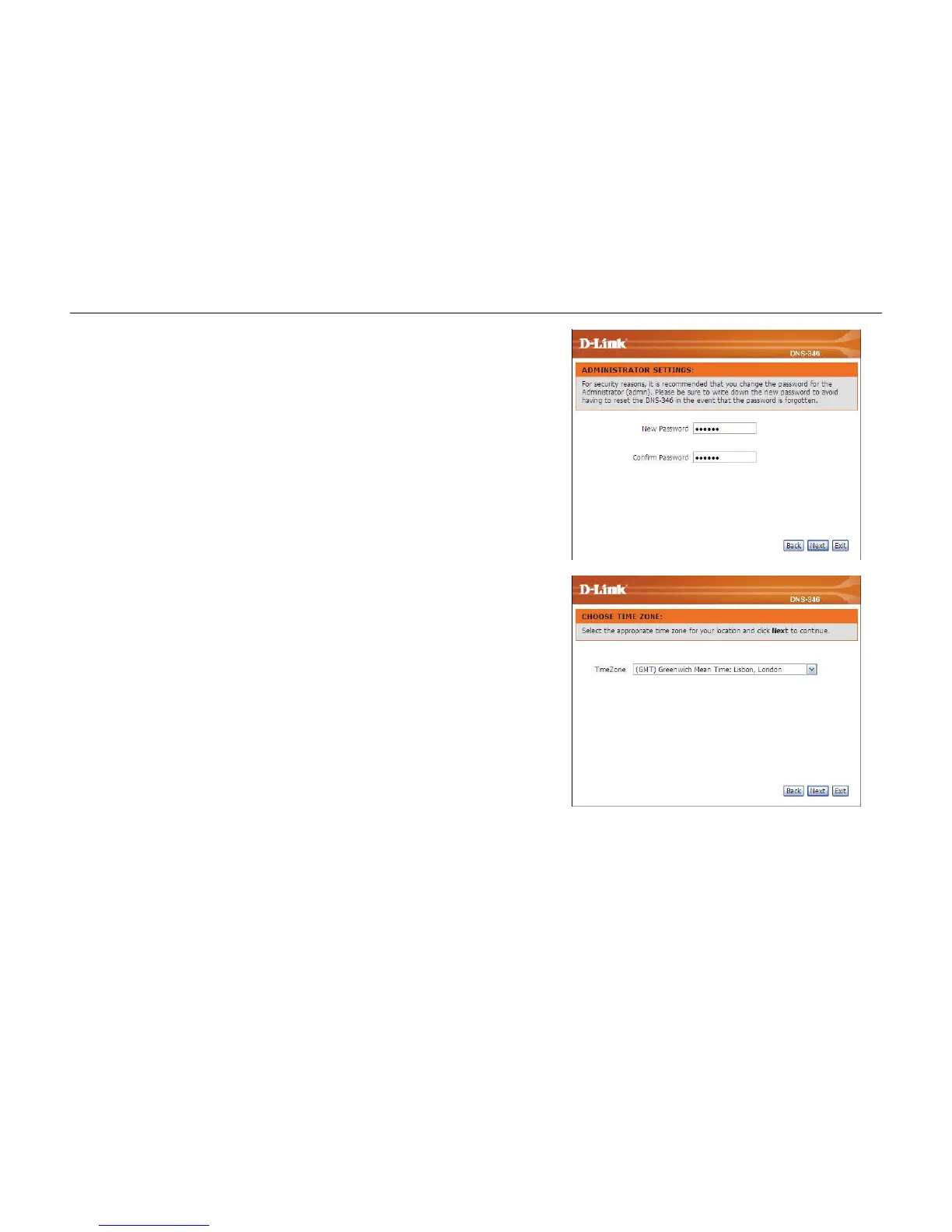
Step 2: It is recommended you set an admin password here. Enter the new
password and re-enter it for confirmation.
Click on the Next button to accept these changes and continue.
Click on the Back button to go back to the previous options.
Click on the Exit button to discard these changes.
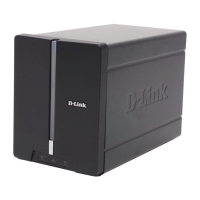
Step 3: Set the appropriate time zone here.
Click on the Next button to accept these changes and continue.
Click on the Back button to go back to the previous options.
Click on the Exit button to discard these changes.



 To Next Page