D-Link DNS-346 USER’S MANUAL
Page 23 of 85
Disk Management Page
The DNS-346 supports seven different disk configuration types:
JBOD – This combines all disks in a linear fashion to create one volume.
0 – This option specifies that the disks will be configured as RAID 0.
1 – This option specifies that the disks will be configured as RAID 1.
5 – This option specifies that the disks will be configured as RAID 5.
10 – This option specifies that the disks will be configured as RAID 10
Standalone – This option specifies that each disk will be configured as a separate volume.
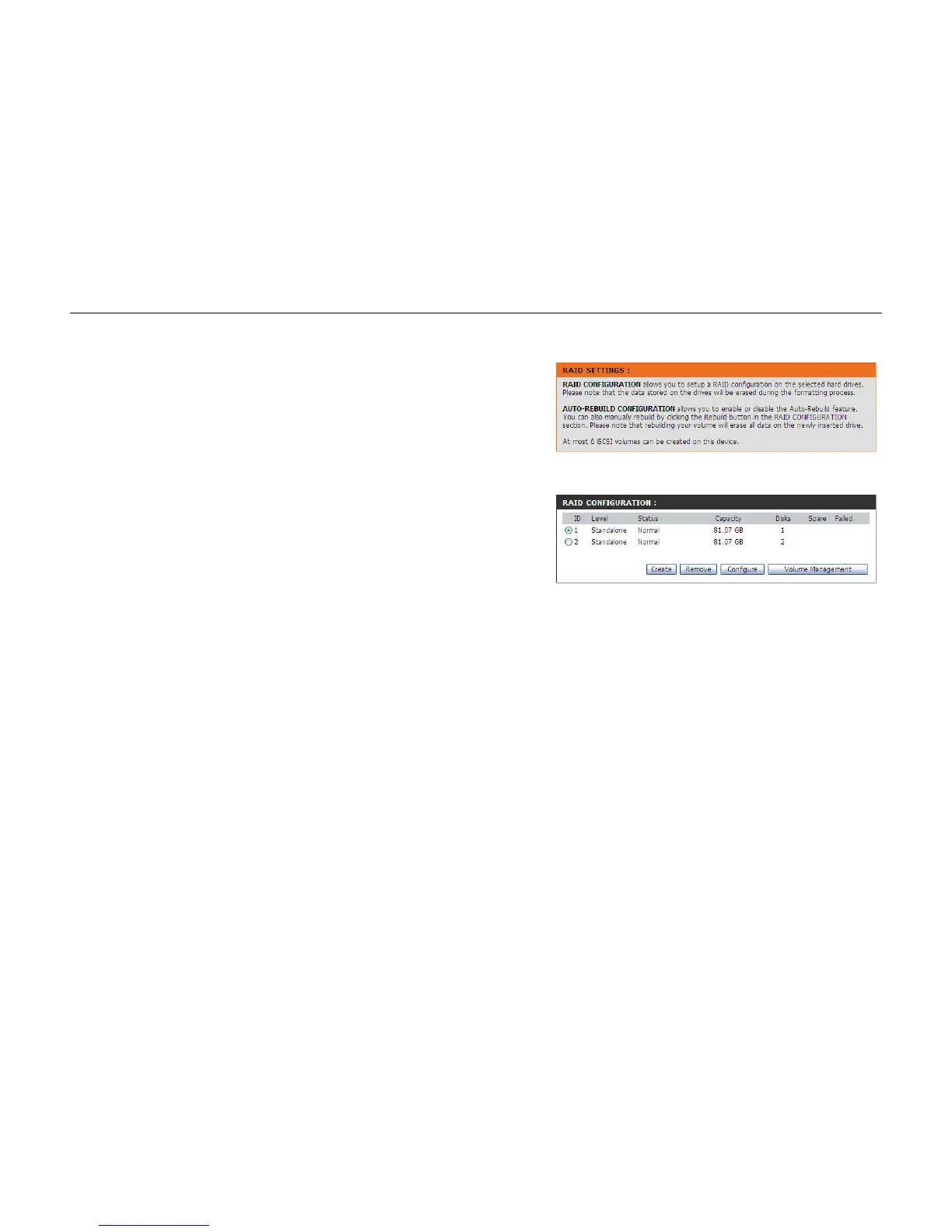
RAID Configuration:
Create:
Remove:
Configure:
Volume Management:
In this section the user can create, remove and configure RAID
configurations.
Click on this button to add a new RAID configuration.
Click on this button to remove a RAID configuration.
Click on this button to configure a RAID configuration.
Click on this button to configure the Volume Management of
the selected RAID configuration.



 To Next Page