D-Link DNS-346 USER’S MANUAL
Page 6 of 85
Hardware Overview
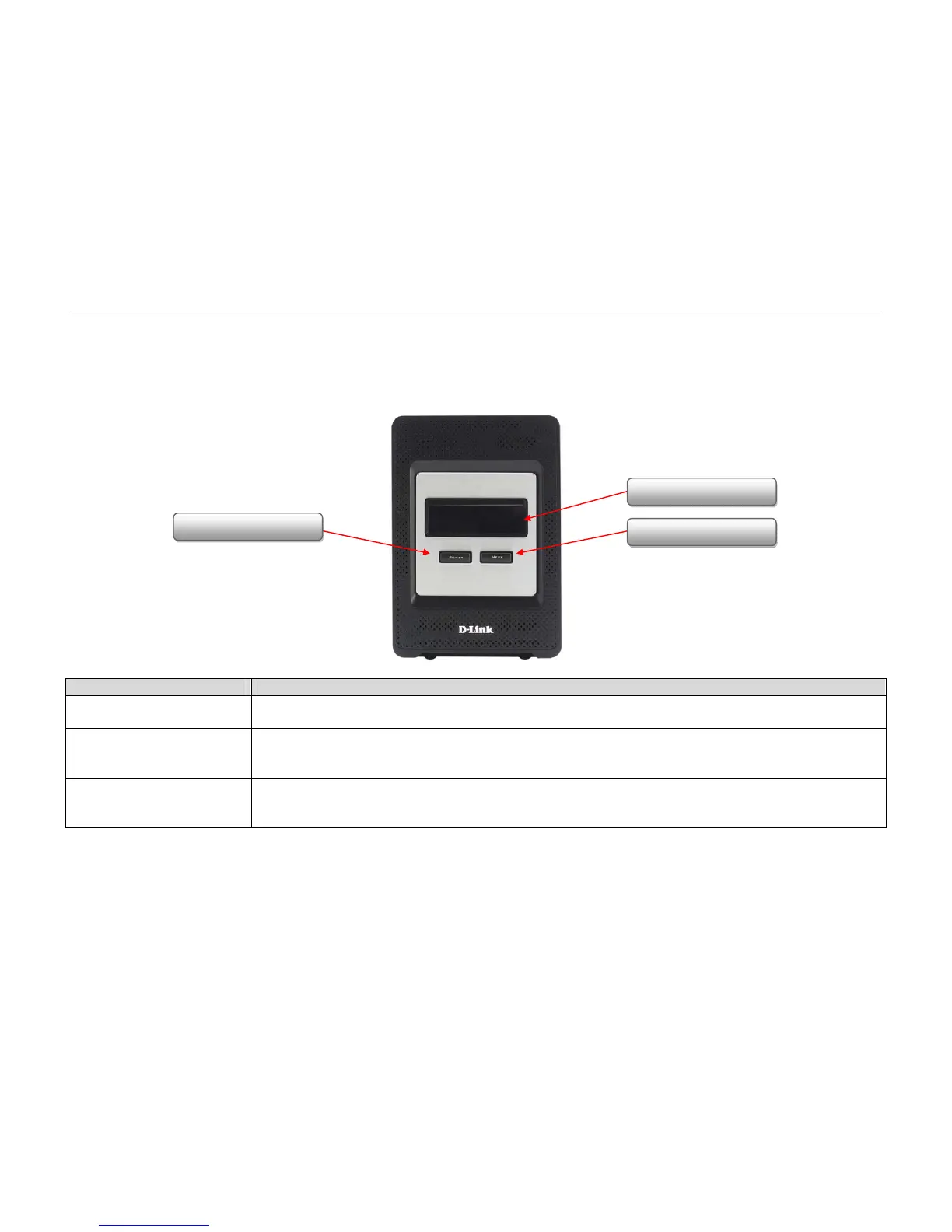
Front Panel
COMPONENT DESCRIPTION
OLED Screen This screen displays detailed information about the following:
System information, HD status, server status and ·iSCSI session status.
Power Button Use this button to switch the device on or off.
To switch on the device press the button once.
To switch off the device hold the button down for 5 seconds.
Next Button Use this button to display the system information (system state), HD status (hard drive state), server status (server status state) and
iSCSI session status on the OLED.
Press the button once to alternate between the different status screens.
OLED Screen
Next Button
Power Button



 To Next Page