D-Link DNS-346 USER’S MANUAL
Page 71 of 85
USB Print Server
The DNS-346 features a built-in USB print server, giving users the ability to share a printer on their local network. Connect a USB printer to the USB port on the back of the
DNS-346. It is important to ensure that any of the printer manufacturer’s drivers are already installed on any computer you want to print from.
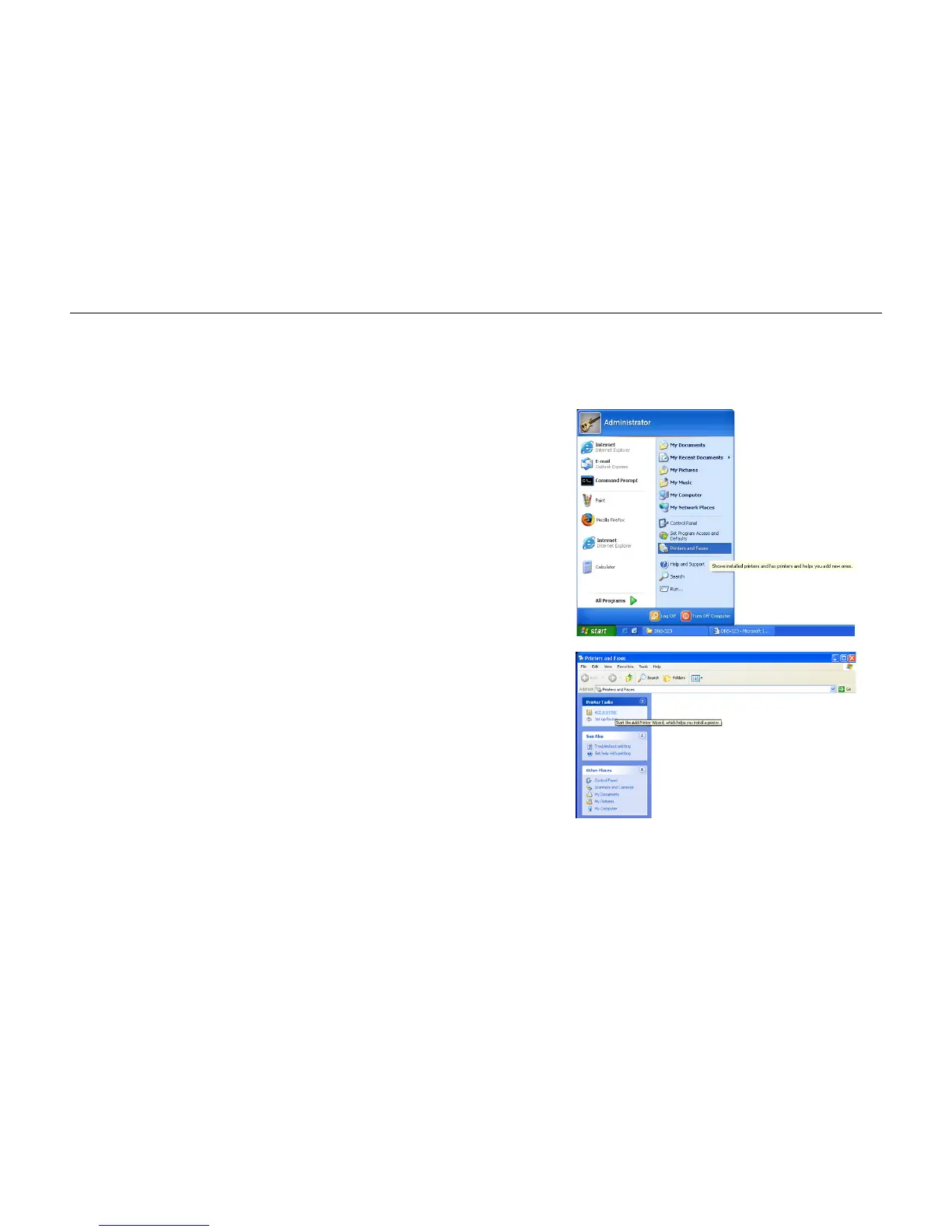
Step 1: To add a printer:
Click Start and select Printers and Faxes.
Step 2: Select “Add a printer”.



 To Next Page