D-Link DNS-346 USER’S MANUAL
Page 79 of 85
ISCSI Drive Mapping
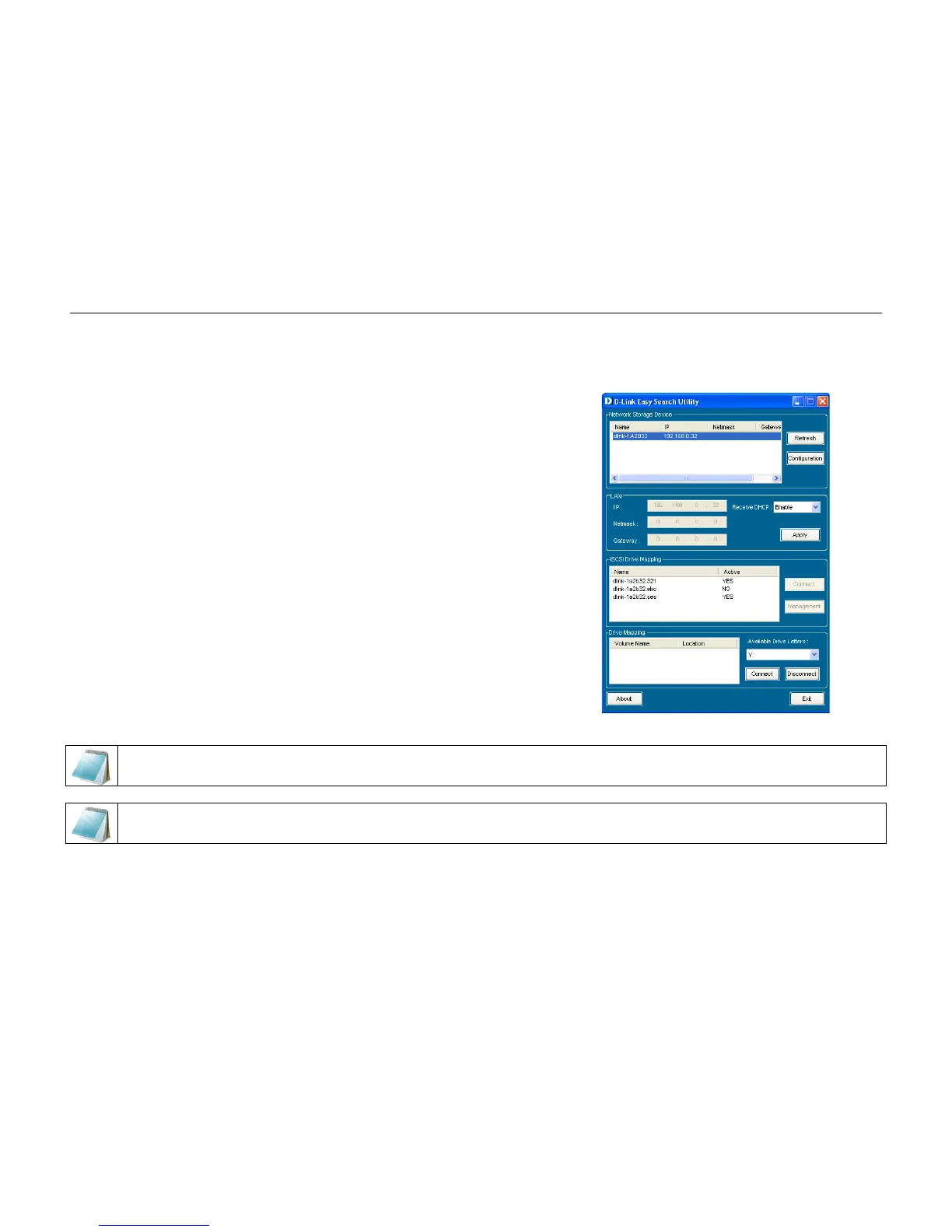
The iSCSI Drive Mapping is used to manage the iSCSI settings on the DNS-346. Carry out the following to configure the iSCSI settings:
Step 1: Click the listed DNS-346.
The available iSCSI target names in the iSCSI Drive Mapping
section appear.
NOTE: If you cannot see the latest list, click the Refresh button to update the status.
NOTE: You will need to create iSCSI volume in the Setup -> Disk Management to see the iSCSI target name in this section.



 To Next Page