D-Link DNS-346 USER’S MANUAL
Page 80 of 85
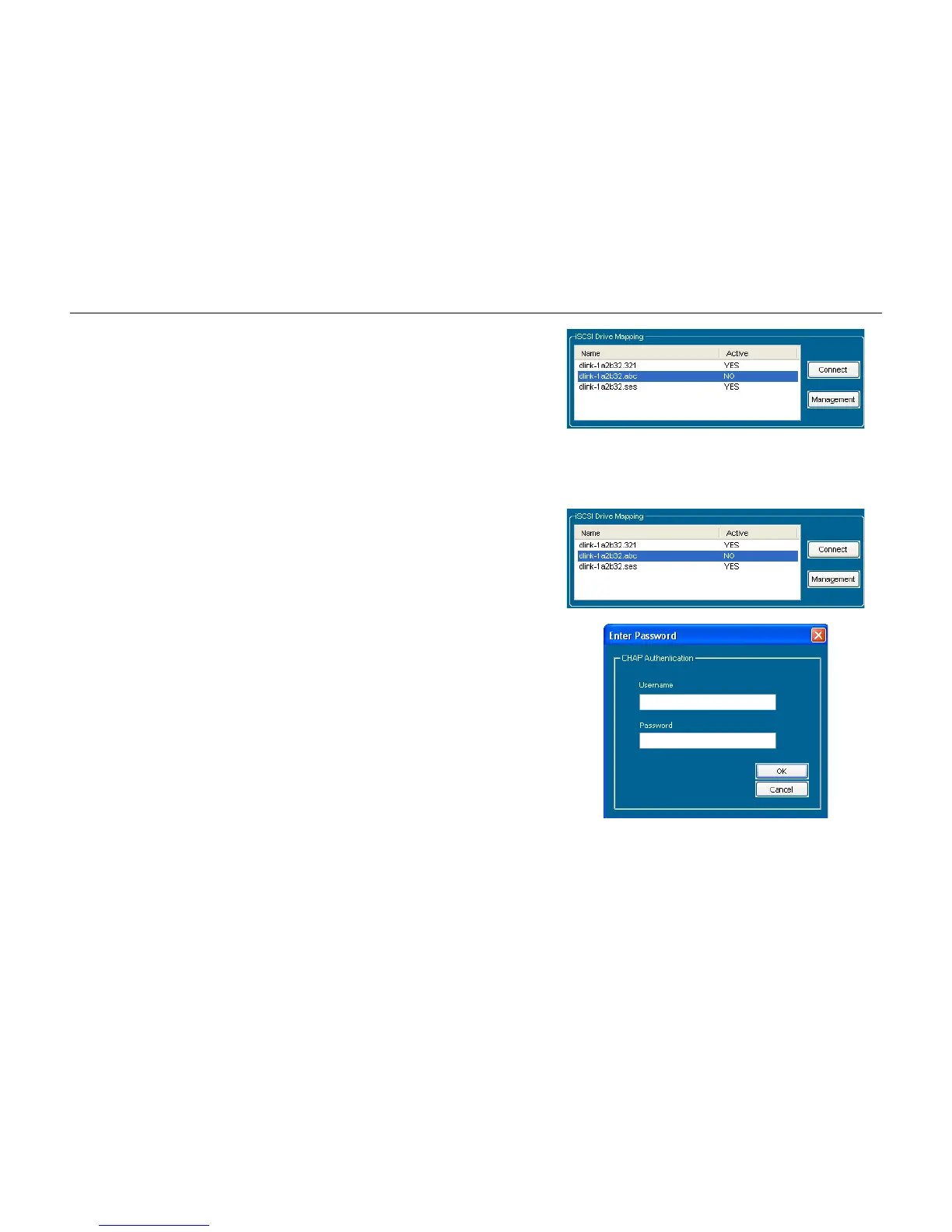
Name:
Active:
Connect/Disconnect:
Management:
Displays the names of the available iSCSI targets on the DNS-
346.
Displays Yes if the target is active. Displays No if the target is not
active.
Choose a target from the list and click the Connect/Disconnect
button to activate/deactivate the target. If CHAP authentication has
been enabled, then a username and password will be required.
Click the Management button to see the Management window.
The window allows you to add, delete, mount and unmount the
partition.
Configuring Targets: When attempting to connect a target for the first time, choose the
target from the list.
Click the Connect button.
If the CHAP is enabled, you will see this window appears requesting
CHAP user and password.



 To Next Page