D-Link DNS-346 USER’S MANUAL
Page 30 of 85
Device Page
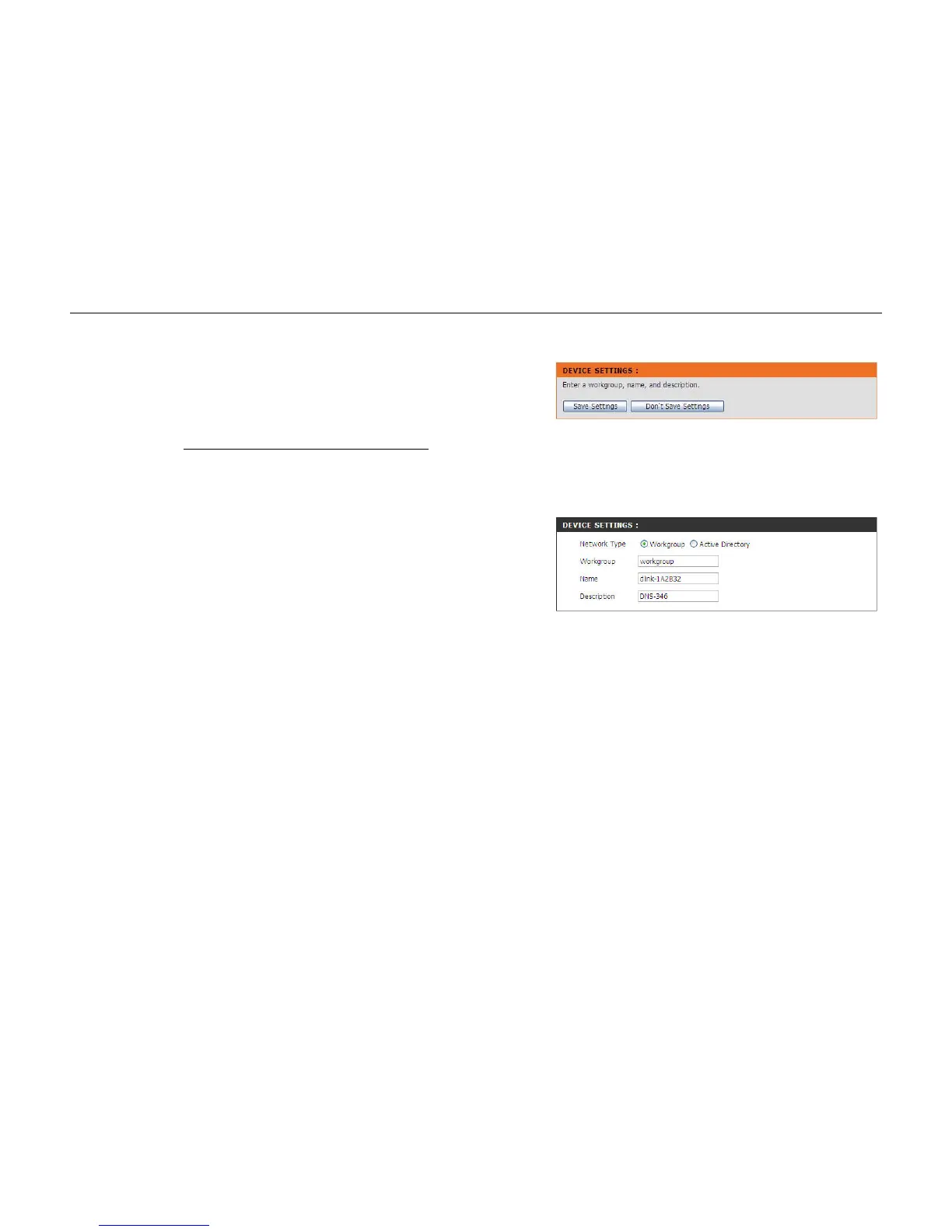
The device settings page allows the user to configure the Workgroup or Active Directory settings of the
network on the DNS-346.
Configuring the DNS-346 to work in a Workgroup
If the network is configured as a Workgroup, click the Workgroup radio button. Configure the
parameters as described below:
Workgroup:
Name:
Description:
The Workgroup is used by Microsoft
®
Windows Network to
organize available network groups within the same network.
The unique name appears for other network
services. The name can be used to access your device from a web
browser instead of using an IP address, for example, http://dlink-
xxxxxx<http://dlink-xxxxxx> . This is useful when there is more
than one DNS-346 on the network.
By default the device name is d-link-xxxxxx, where xxxxxx is the
last six digits of the MAC Address.
Assigns a device description to help identify the DNS-346 in the
workgroup.
Click on the Save Settings button to accept these changes.
Click on the Don’t Save Settings button to discard these
changes.



 To Next Page