D-Link DNS-346 USER’S MANUAL
Page 20 of 85
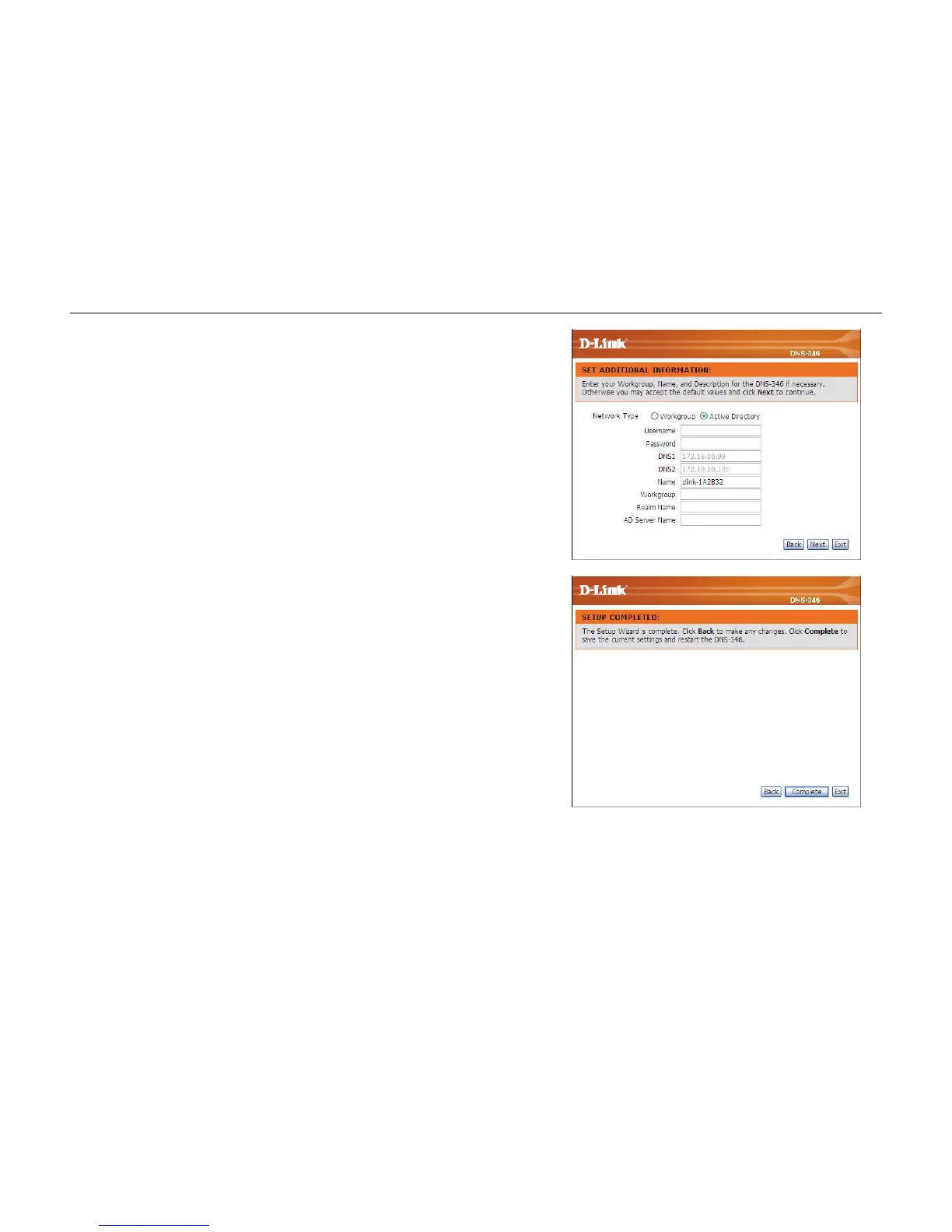
Step 6: If your DNS-346 will be connected to an Active Directory network,
click the Active Directory radio button.
Enter the following information about your Active Directory.
Username, Password, DNS IP Addresses, Name, Workgroup,
Realm Name and AD Server Name.
Click on the Next button to accept these changes and continue.
Click on the Back button to go back to the previous options.
Click on the Exit button to discard these changes.
Step 7: Setup completed.
Click on the Complete button to accept these changes.
Click on the Back button to go back to the previous options.
Click on the Exit button to discard these changes.



 To Next Page