D-Link DNS-346 USER’S MANUAL
Page 36 of 85
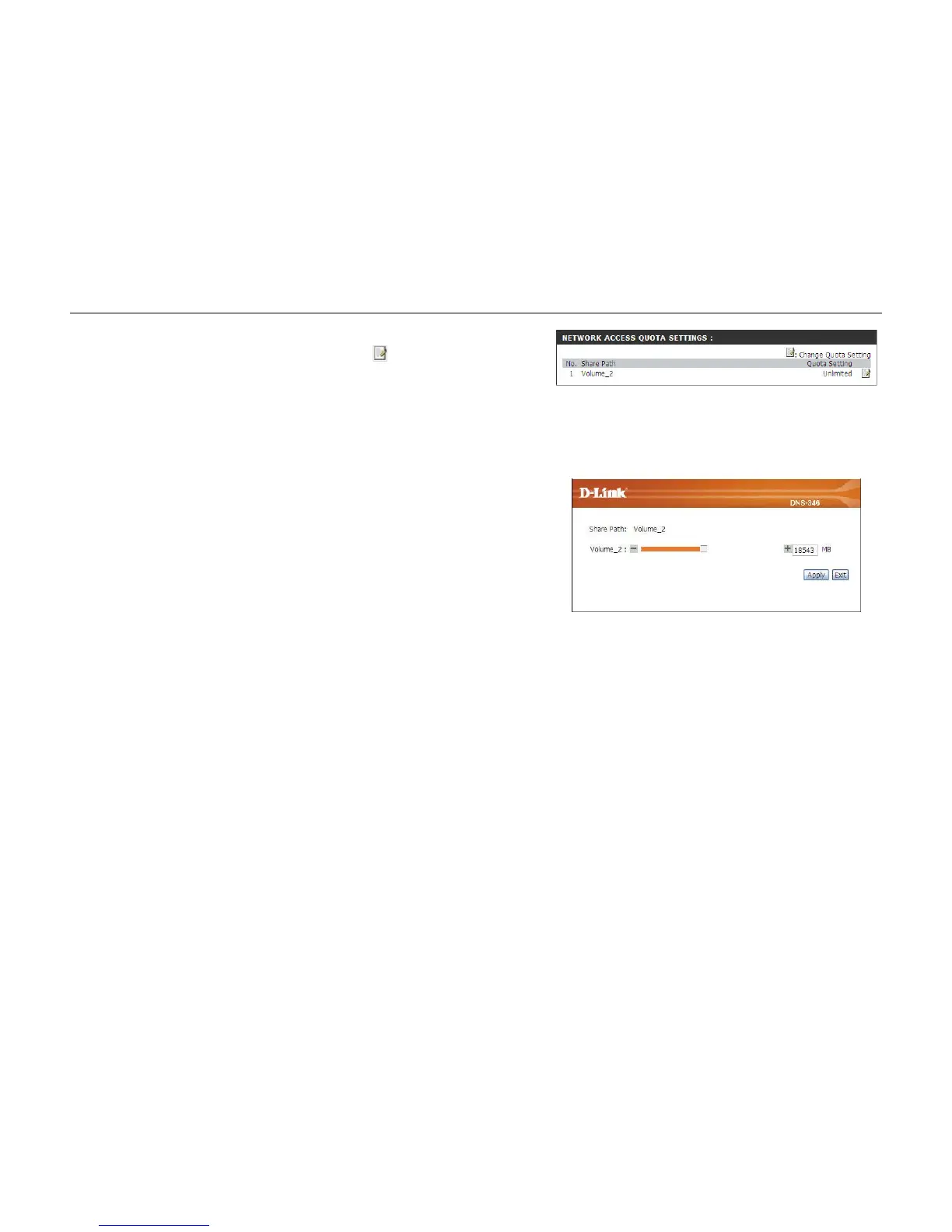
Network Access Quota Status: Network Access Quotas are displayed here. Quotas can be edited
by clicking on the (Notepad) ‘
’ icon.
By default, all users and groups are displayed on the Quota
Settings page, and cannot be deleted. The default quota setting is
“Unlimited”.
Before adding a quota for a particular user or network access
entry, ensure the Quota Status has been enabled.
Modify Quota: In the following window use the – symbol to decrease the quota
and the + symbol to increase the quota.
Alternatively type in the size you want the quota to be in Mega
Bytes in the MB field.
Click the Apply button to make the Quota modification.
Click on the Save Settings button to accept these changes.
Click on the Don’t Save Settings button to discard these
changes.



 To Next Page