D-Link DNS-346 USER’S MANUAL
Page 74 of 85
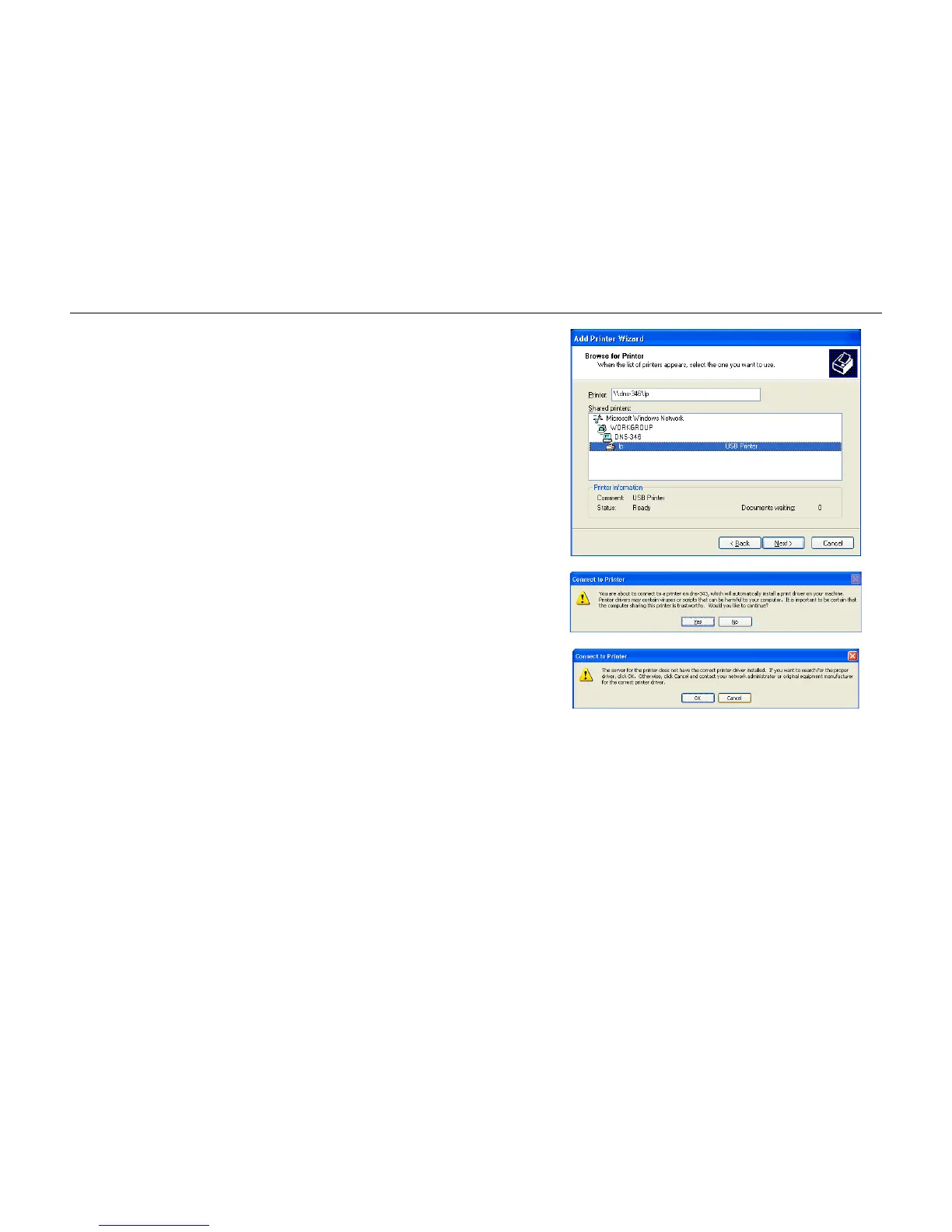
Step 7: Select the available USB printer.
Click on the Next button to accept these changes and continue.
Click on the Cancel button to discard these changes.
Step 8: The following printer driver messages will appear:
Click Yes to continue.
Click OK to continue and select a printer driver.



 To Next Page