Technical Support Setup Procedure
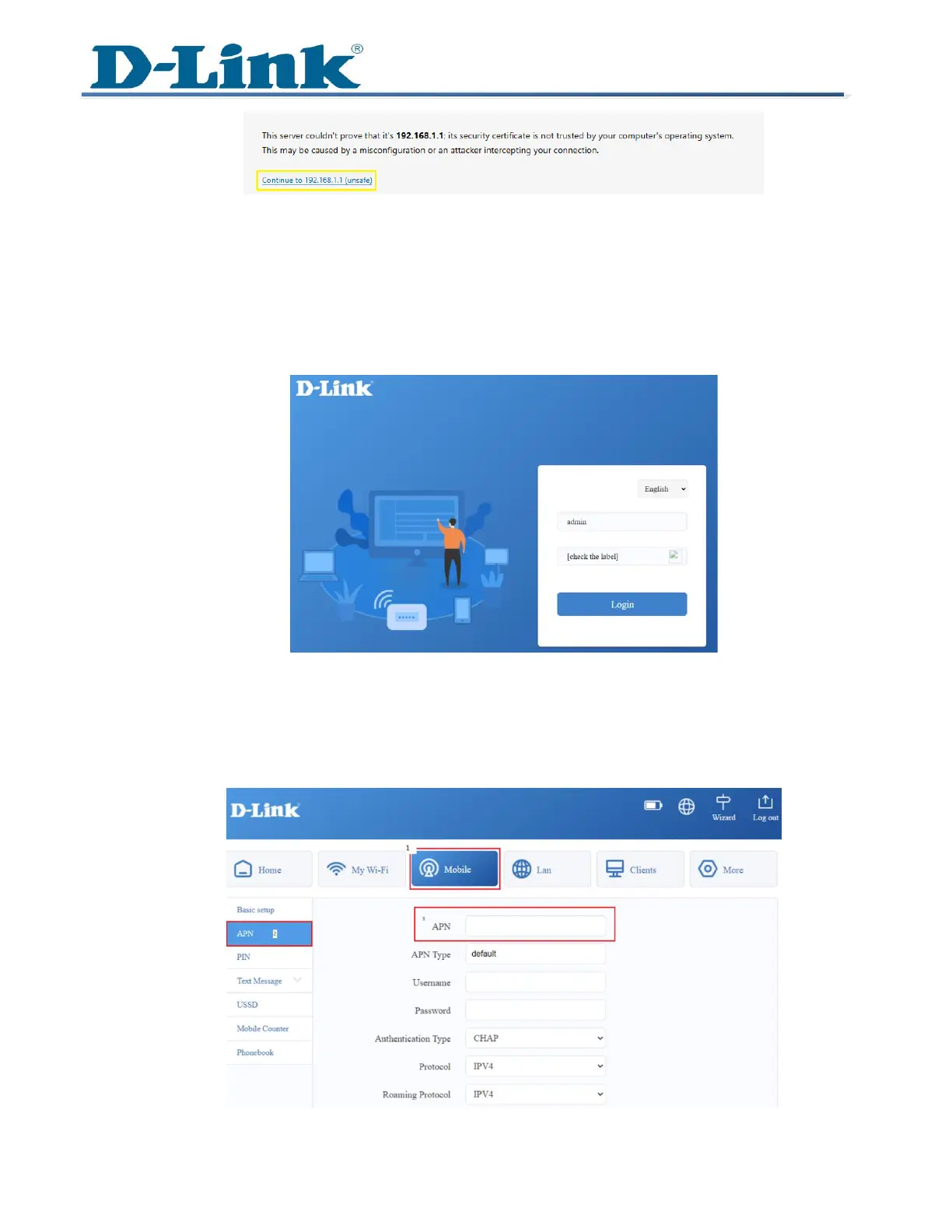
2 You will be prompted to enter the username and password to access the router’s
settings.
Username: admin
Password: [device password found on the label]
3 After logging in, you’ll be directed to the admin page where you can configure other
settings like Wi-Fi and APN.
4 Skip the set-up wizard and click on Mobile tab. Click APN on the left-hand side.



 To Next Page