Home
DAB
Receiver
E.SYBOX MINI
Page 6
DAB E.SYBOX MINI - Page 6
41 pages
Manual
Save Page as PDF
To Next Page
To Next Page
To Previous Page
To Previous Page
Loading...
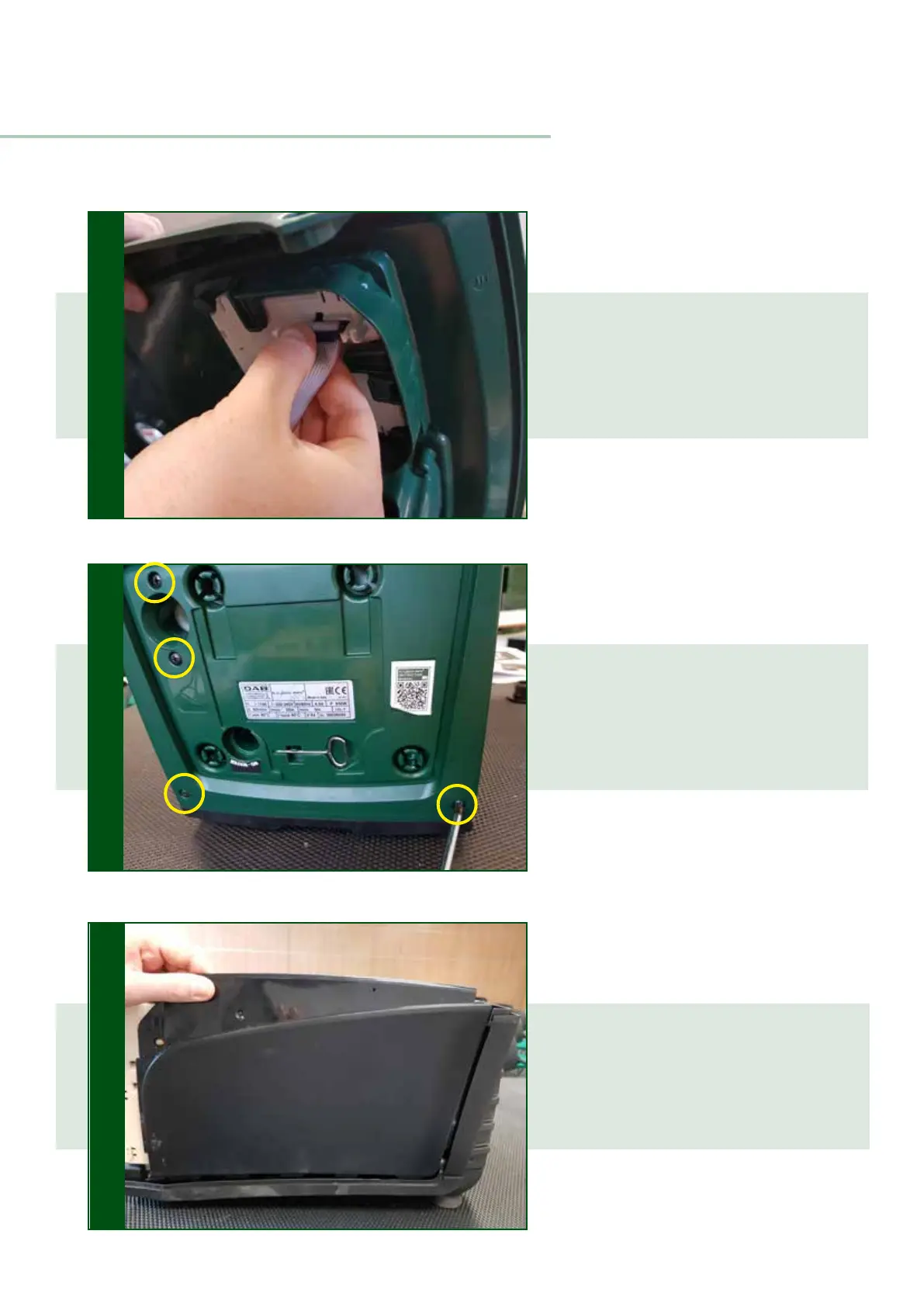
Remove the front cover by lifting
it carefully and unplugging the
display flat cable
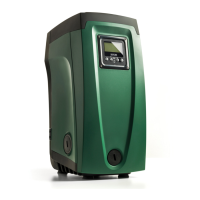
Unscrew the four screws in pictu-
re to remove the top cover
T
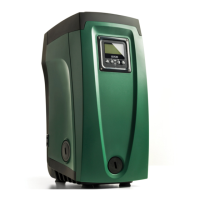
o remove the side covers,
just
pull sideways and upwards
4
5
DISMANTLING
6
5
5
7
Other manuals for DAB E.SYBOX MINI
Instruction For Installation And Maintenance
708 pages
Related product manuals
DAB E.sybox
54 pages
DAB e.sybox mini3
75 pages
DAB E.SYBOX MINI 3
39 pages
DAB e.sybox Series
54 pages
DAB E-SWIM 150
37 pages
DAB evoplus
380 pages
DAB EVOSTA2
31 pages
DAB EVOSTA 3
37 pages
DAB EVOSTA Series
48 pages
DAB evoplus SMALL
14 pages
DAB EVOSTA 40-70/130
48 pages
DAB EVOPLUS SMALL 60/180 M
260 pages



 To Next Page