EasyManua.ls Logo

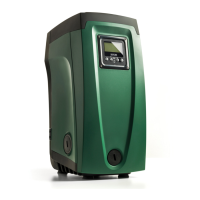
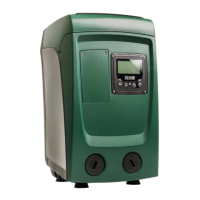
DAB e.sybox mini3 - User Manual

DAB e.sybox mini3
75 pages
Print Icon
To Next Page IconTo Next Page
Loading...
INSTRUCTIONS FOR INSTALLATION AND MAINTENANCE
INSTRUCTIONS POUR L’INSTALLATION ET L’ENTRETIEN

Table of Contents

Questions and Answers

  • M
    Michelle JacksonJul 27, 2025
    How to troubleshoot a DAB e.sybox mini3 Water Pump that does not start?
    • T
      todd15Jul 27, 2025
      If your DAB Water Pump isn't starting, first ensure it's getting power by checking the socket voltage and reinserting the plug. If power isn't the issue, the shaft might be blocked, in which case you should see paragraph 9.4 (motor shaft maintenance). Also, check if the utility level is higher than the system restarting pressure; if so, increase the system restarting pressure level by increasing SP or decreasing RP.
  • J
    Jessica IbarraAug 1, 2025
    What to do if my DAB e.sybox mini3 does not stop running?
    • A
      Austin MaxwellAug 1, 2025
      If your DAB Water Pump won't stop, there could be a few reasons. First, check for leaks in the system and fix them. Second, the impeller or hydraulic part might be clogged; if so, dismantle the system and remove the obstructions (assistance service). Third, check the suction pipe for air leaks and eliminate them. Lastly, a faulty flow sensor could be the culprit; in this case, contact the assistance centre.
  • J
    joshua12Aug 6, 2025
    How to fix insufficient delivery in DAB e.sybox mini3?
    • M
      Mr. Justin MooreAug 6, 2025
      If you're experiencing insufficient delivery from your DAB Water Pump, several factors could be at play. First, the suction depth might be too high, which decreases the hydraulic performance. Check if you can reduce the suction depth and use a suction pipe with a larger diameter (but never smaller than 1”). Second, the suction pipe might be clogged or have an insufficient diameter. Check the suction pipe for obstructions and remove them. Third, the impeller or hydraulic part might be clogged; dismantle the system and remove the obstructions (assistance service).
  • H
    harmonronnieAug 11, 2025
    What to do if DAB e.sybox mini3 water pressure is not immediate?
    • B
      Brittany HowellAug 11, 2025
      If the water pressure from your DAB Water Pump isn't immediate when you turn on the tap, the expansion vessel might be empty or have a broken diaphragm. Check the air pressure in the expansion vessel. If water comes out when checking, the vessel is broken: assistance service. Otherwise restore the air pressure according to the equation par. 1.2.
  • M
    Melissa WoodAug 17, 2025
    Why does my DAB Water Pump start without utility request?
    • S
      Savannah JenkinsAug 17, 2025
      If your DAB Water Pump starts without any demand, it could be due to a leak in the system. Check the system to find and fix any leaks. Alternatively, the non-return valve might be faulty; service the non-return valve as described in par. 9.3.
  • W
    William WilliamsonAug 21, 2025
    Why does the flow fall to zero before DAB e.sybox mini3 starts?
    • T
      Timothy KingAug 21, 2025
      If the flow falls to zero before your DAB Water Pump starts when you turn on the tap, the air pressure in the expansion vessel might be higher than the system starting pressure. Calibrate the expansion vessel pressure or configure the parameters SP and/or RP so as to satisfy the equation par.1.2.

Summary

E.Sybox MINI Manual

Introduction and Branding

Covers the product title, model name, and manufacturer branding.

1. General Information

Product Description and Technical Characteristics

Details the integrated inverter, expansion vessel, and key technical specifications.

2. Installation Guide

Vertical and Horizontal Configuration

Instructions for system setup in vertical and horizontal orientations.

3. Commissioning

Electrical Connections and Priming

Steps for electrical connections, inverter configuration, and pump priming.

4. User Interface

Keypad, Display, and Menu Navigation

Guide to operating the keypad, display, and navigating through menus.

5. Parameter Settings

User, Monitor, and Setpoint Menus

Explanation of parameters within User, Monitor, and Setpoint menus.

6. Protection Systems

Blockage Conditions and Error Codes

Explanation of various blockage conditions, error indicators, and fault logs.

7. Reset and Factory Settings

System Reset and Restoring Factory Defaults

Procedures for general system reset and restoring original factory settings.

Troubleshooting Common Problems

Solving Typical Problems and Fault Diagnosis

Diagnosing and resolving common faults, errors, and performance issues with the pump.

End Matter

Firmware Updates, Disposal, and Guarantee

Information on updating firmware, product disposal, and warranty terms.

DAB e.sybox mini3 Specifications

General IconGeneral
Protection RatingIPX4
Liquid Temperature Range0°C to +35°C
Motor SpeedVariable
MaterialTechnopolymer
Power Supply230 V - 50/60 Hz
Inlet/Outlet Diameter1 inch
Frequency50 Hz

Related product manuals