ENGLISH
45
Table 5 describes the parameters sensitive to the inverter and provided in the advanced menu. To exit the advanced menu, scroll
through all parameters using the central button.
Unique serial number attributed for connectivity
Electric pump rated frequency Set the value stated on
the electric pump dataplate.
Electric pump rated current Set the value stated on the
electric pump dataplate.
Direction of rotation. Modify this parameter to invert
the direction of rotation.
Minimum rotation frequency of the electric pump.
Maximum rotation frequency of the electric pump
Differential pressure type of sensor
Maximum electric pump head.
Ratiometric with fs = 4 bar
Ratiometric with fs = 10 bar
Inverter carrier frequency
Dry running power. If you want to enable protection
against dry running, set the value of the absorbed
power at Fn (normal frequency) in dry running
conditions, increased by 20%.
Time that passes between switching off one pump and
switching on the other in twin systems.
Differential pressure type of sensor
Characteristic constant of the NTC resistance, used
for the measurement of fluid temperatures T and T1
Running time of the hydraulic circuit, it acts in an
inversely proportional way on the regulating speed in
the T and DT regulations.
Parameter for setting up Booster mode.
Modbus address of the device
Serial communication baud rate
1.2, 2.4, 4.8, 9.6, 19.2, 38.4
Table 5: Advanced menu – Sensitive inverter parameters
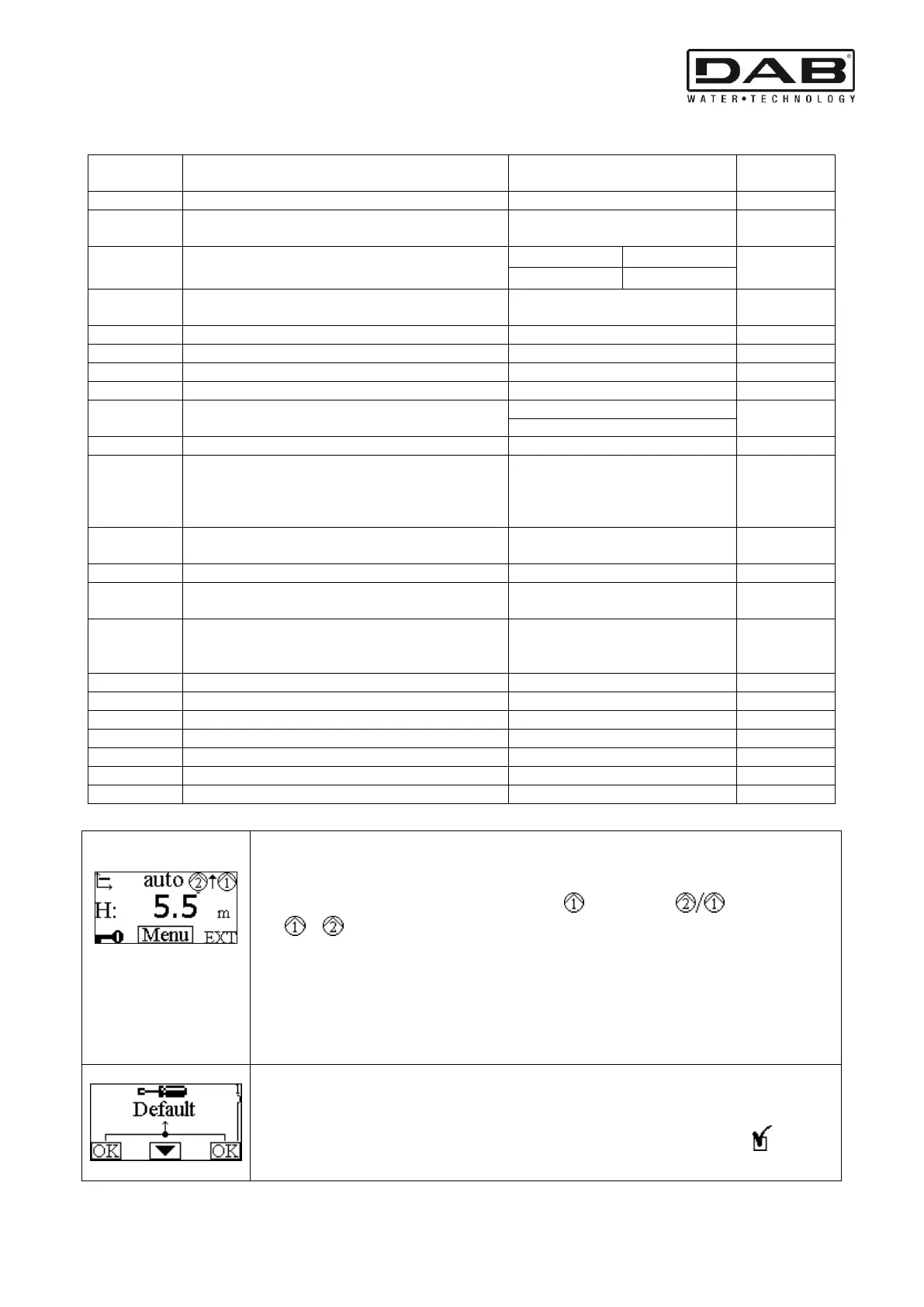
The main settings of the system are graphically summed up on the Home Page.
The icon at top left indicates the type of regulation selected.
The icon at centre top indicates the operating mode selected (auto or economy).
The icon at top right indicates the presence of a single or twin inverter . The rotation of the
icon or indicates which circulation pump is operating.
At the centre of the Home Page is a read-only parameter which can be chosen from a small set of
parameters on Page 8.0 of the menu.
From the Home Page it is possible to access the page for regulating the contrast of the display: hold
down the hidden button, then press and release the right button.
From the Home Page it is also possible to access the read-only menu of the inverter sensitive
parameters set in the factory: hold down the central button for 3 seconds.
The factory settings are set from Page 1.0 by holding down the left and right buttons at the same time
for 3 seconds.
The resetting of the factory settings will be notified by the appearance of the symbol next to the
word “Default”.



 To Next Page