DIGITAL INDICATOR
DN500N
11
Ⅰ. STEP 1
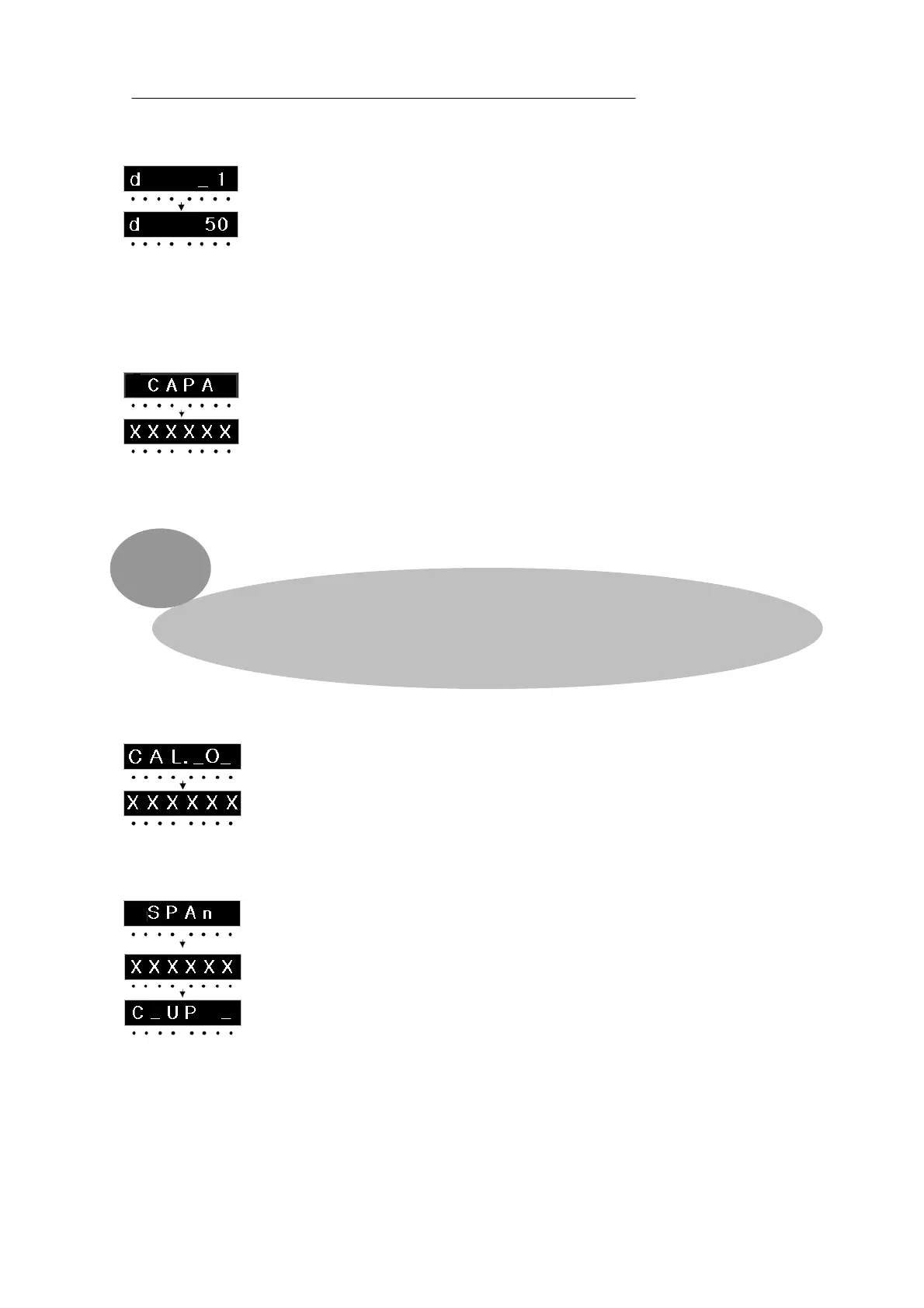
This step is to set the value of 1 division. (Unit of minimum display division)
Here, “d” stands for Division and it indicates “the value of 1 division
(Minimum division display)”
This value change is shown in order of “01-02-05-10-20-50” each time 0 Key
is pressed. After it stopped at a desired value – a certain value of 1 division,
press ENTER Key so that the value can be memorized as “the value of one
division” and then move to the next step.
Ⅱ. STEP 2
This step is to set the maximum display capacity.
Here, “CAPA” stands for Capacity and it indicates the maximum display capacity
that can be weighed by scale. You should input your desired maximum display
capacity value instead of an optional numerical value currently displayed.
To input, please input the number you want by using the number Key on Key
Board and then press ENTER Key so that the current value will be memorized
and move to the next step.
Î Please do not set (Value of 1 division/MAX display capacity) to be over (1/20,000)
When it is over (1/20,000), Error message will be displayed. You can use up to 1/20,000 only.
Ⅲ. STEP 3
This step is to confirm the current “0” status of scale.
After you check the currently displayed value, please press “ENTER” Key.
And then the gauge bar will goes up for about 3 seconds.
You will move to the next step automatically.
Ⅳ. STEP 4
SPAN” will be shown on capacity display and then it will be changed to
“CAPA” value which is the value in STEP 2.
If standard span weight of CAPA is not ready here, please prepare for a span
standard weight that is over 10% of CAPA value and then input the value by
using numerical Key and then press “ENTER” Key so that you can move to the
next step.
At this stage, “UP” means you have to put the prepared span standard weight
on scale.
After you put on the span standard weight on scale and when the capacity is
stable enough without any impact or vibration, please press “ENTER” KEY so
that Gauge bar can go up for about 3 seconds and you can move to the next
step.
***


 To Next Page
 Loading...
