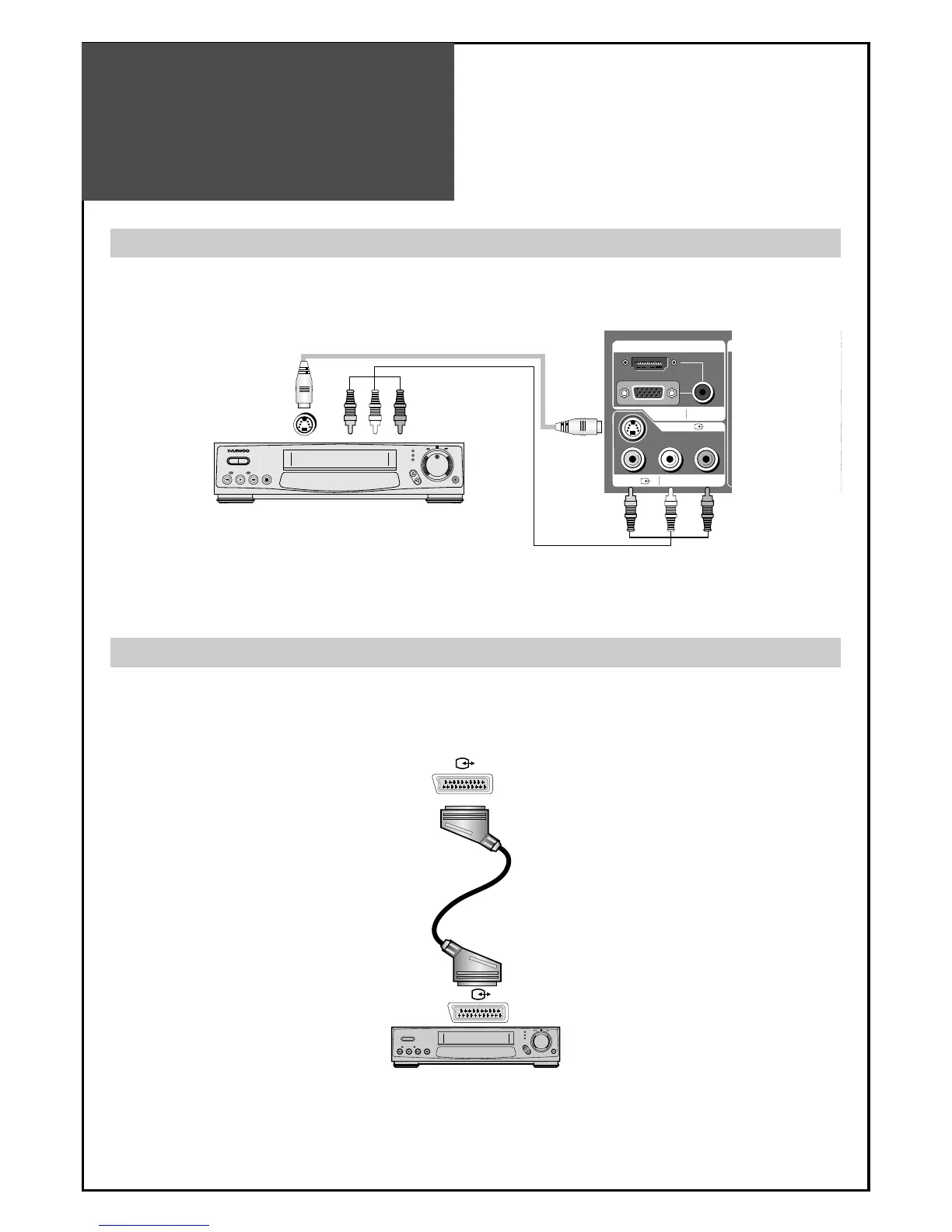
1. Prepare the scart lead for picture / sound.
2. Connect the SCART input / output terminal of video with the SCART1(AV1), SCART2(AV2), input/output
terminal of TV.
3. Turn on the video, Insert the video cassette, and press the “PLAY” button.
Note : If S-video and RCA jack are connected the same time, The TV set will only detect the S-Video mode.
• If your AV device has both Video OUT terminal and S-Video OUT terminal, the S-Video connection is
recommended for better picture quality.
Note :
• SCART1 has CVBS/RGB input and RF output. It is used to connect a STB, VCR and DVD.
• SCART2 has CVBS input. It is used to connect a STB, VCR and DVD.
Connecting with an External Source
Connecting with SCART VIDEO
You may connect an S-Video input to enjoy clearer and brighter picture images. You can make the
connection with the AV3 input.
BACK OF THE TV SET
BACK OF THE TV SET



 To Next Page