EasyManua.ls Logo

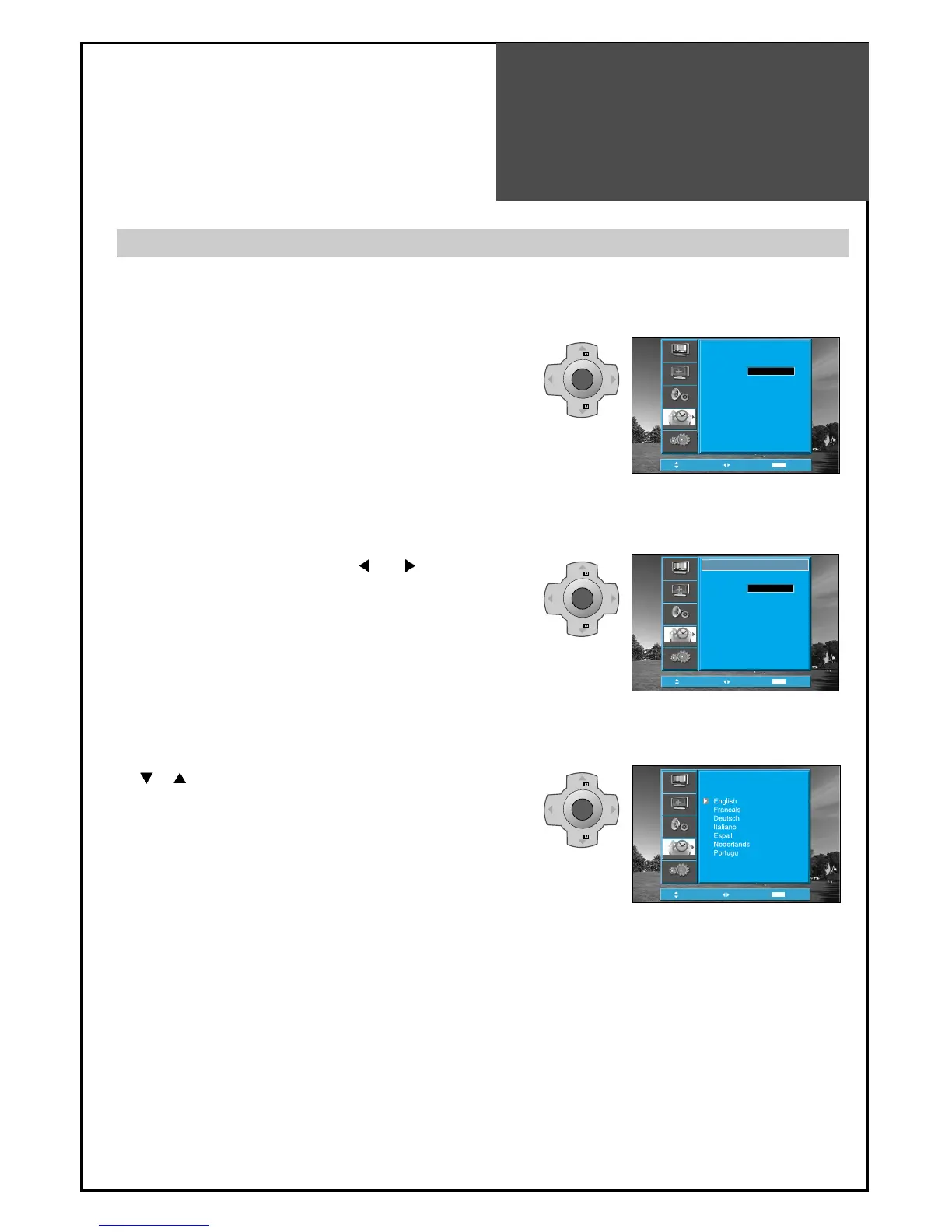
Daewoo DLP-26C2 - Selection of Language

Daewoo DLP-26C2
48 pages
Print Icon
To Next Page IconTo Next Page
To Previous Page IconTo Previous Page
Loading...
Selection of
Language
41
When you first turn on the TV set, the window of language selection is displayed automatically.
• The language change as the followed.
English => Francais => Deutsch => Italiano =>
Espanol => Nederlands => Portugues => Svenska =>
Norsk => Suomi => Polski => Romana => Magyar =>
Czech => Russian
MENU
V
O
L
V
O
L
PR
PR
MENU
V
O
L
V
O
L
PR
PR
MENU
V
O
L
V
O
L
PR
PR
Position
Access
MENU
Exit
Language
Timer
Child Lock
MGDI DEMO
Off
Install
Picture
Screen
Sound
Function
Position
Access
MENU
Exit
Off
Language
Timer
Child Lock
MGDI DEMO
Install
Picture
Screen
Sound
Function
Position
Access
MENU
Exit
Language
Norsk
Suomi
Polski
Romana
Maguar
Czech
Russian
Svenska
Install
Picture
Screen
Sound
Function
Selection of Language
1. Press the “MENU” button and select "Function".
2. Select "Language" by pressing “
VOL “ button.
3. Select your desired language by pressing the
PR “ button. Then, it will be setting
automatically.

Other manuals for Daewoo DLP-26C2

Related product manuals